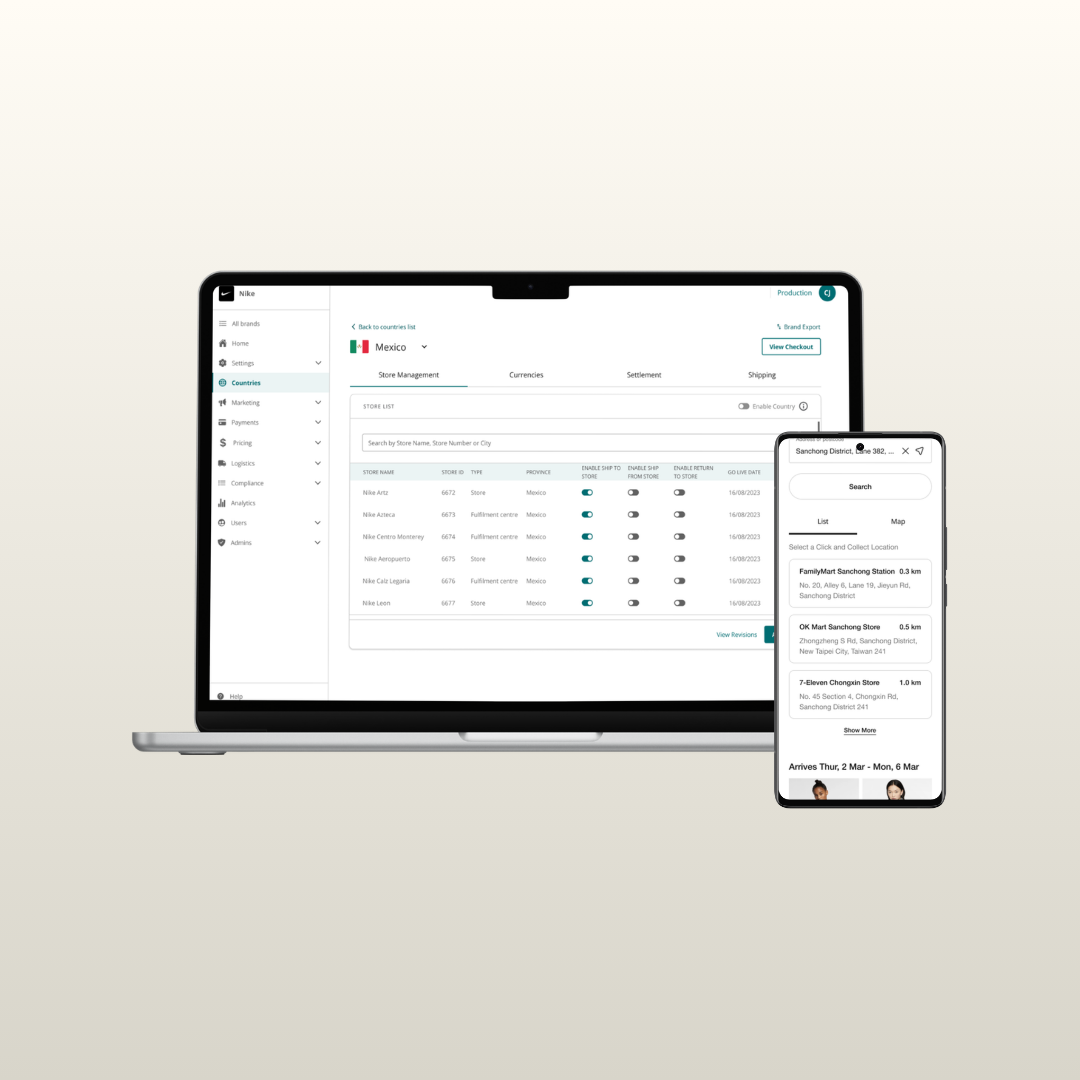
Store management
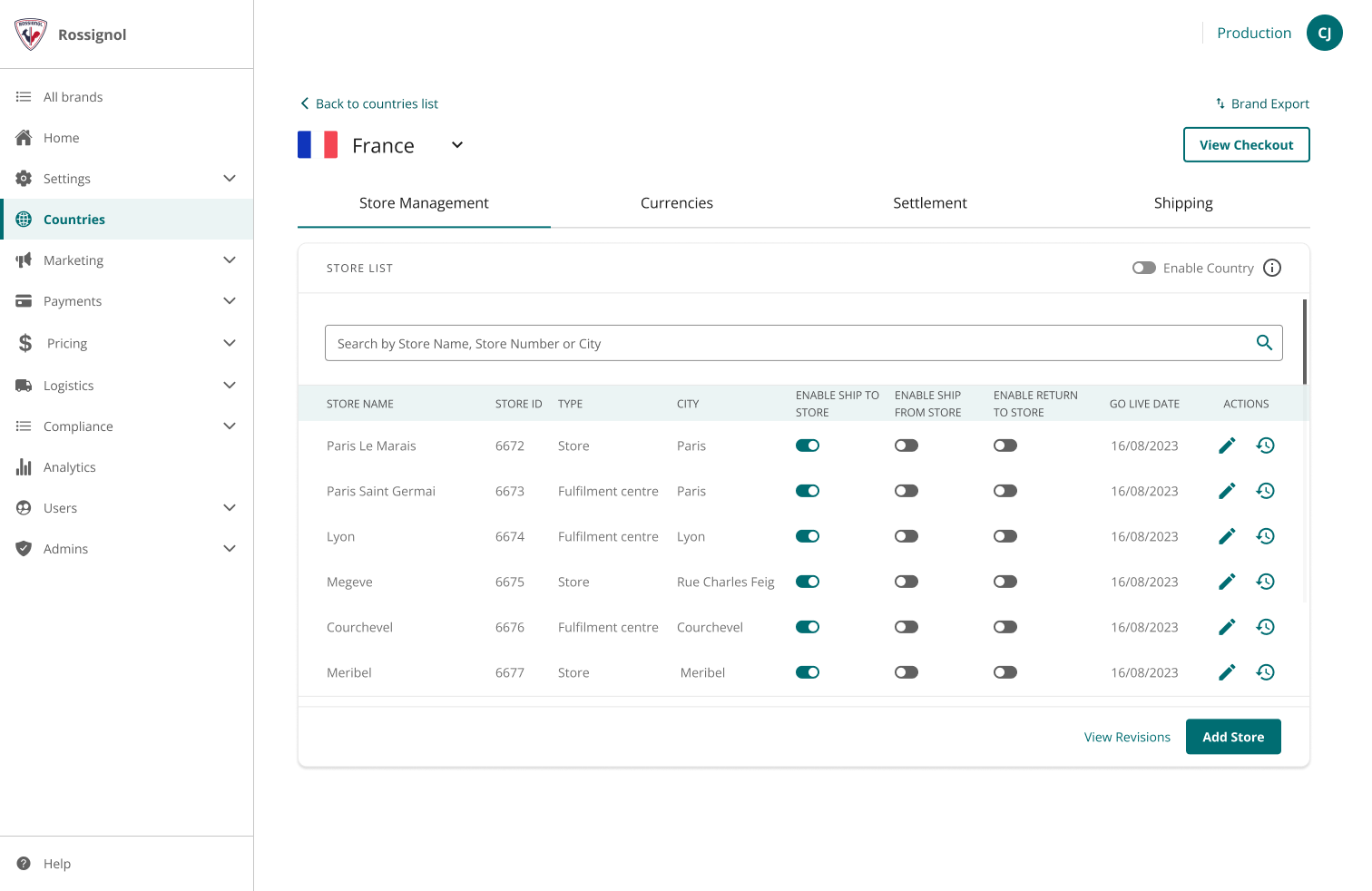
A retailer facing tool to help them self manage the store and omni-channel fulfillment capabilities.
Enable/disable a store
Add a new store location
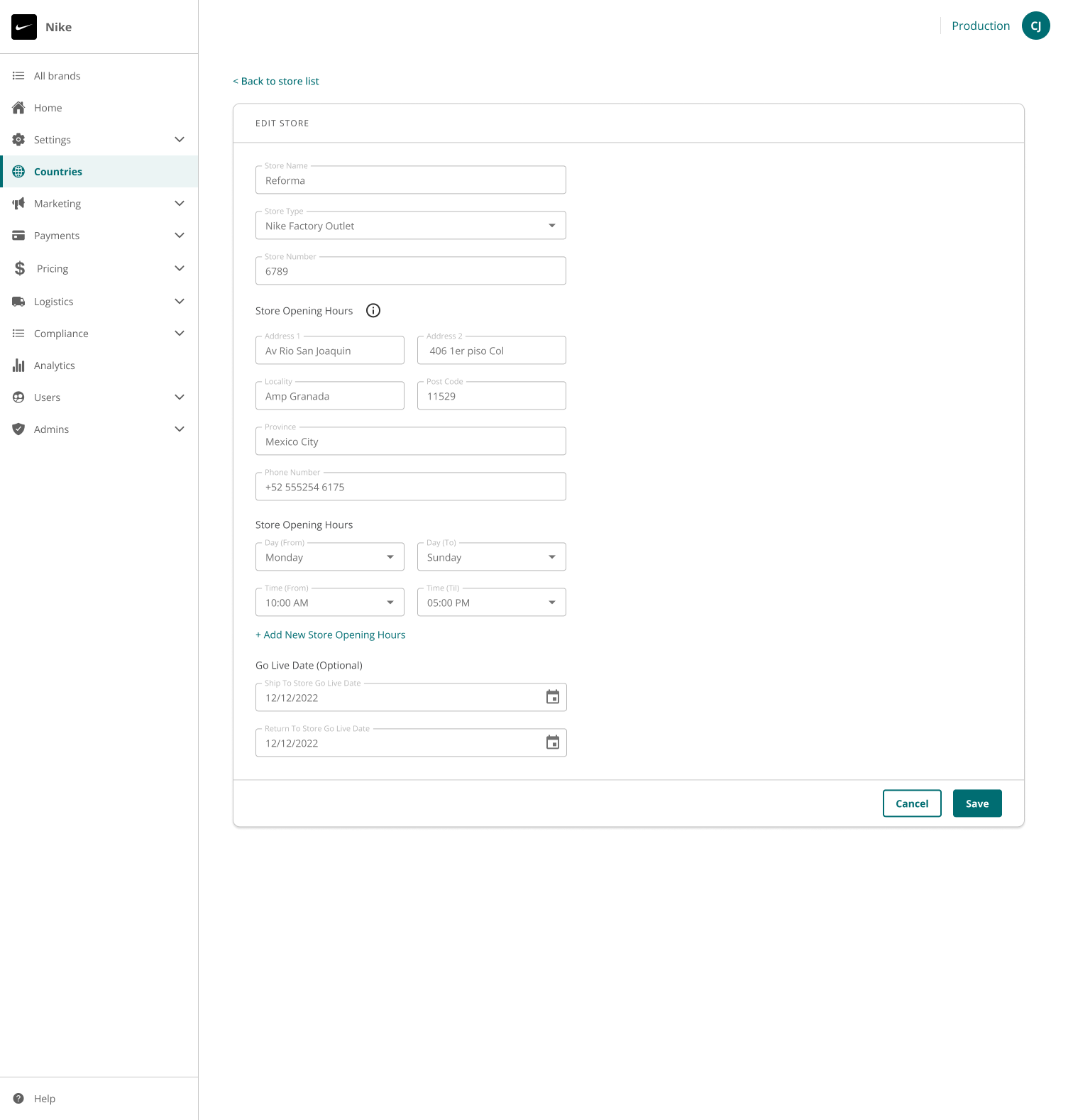
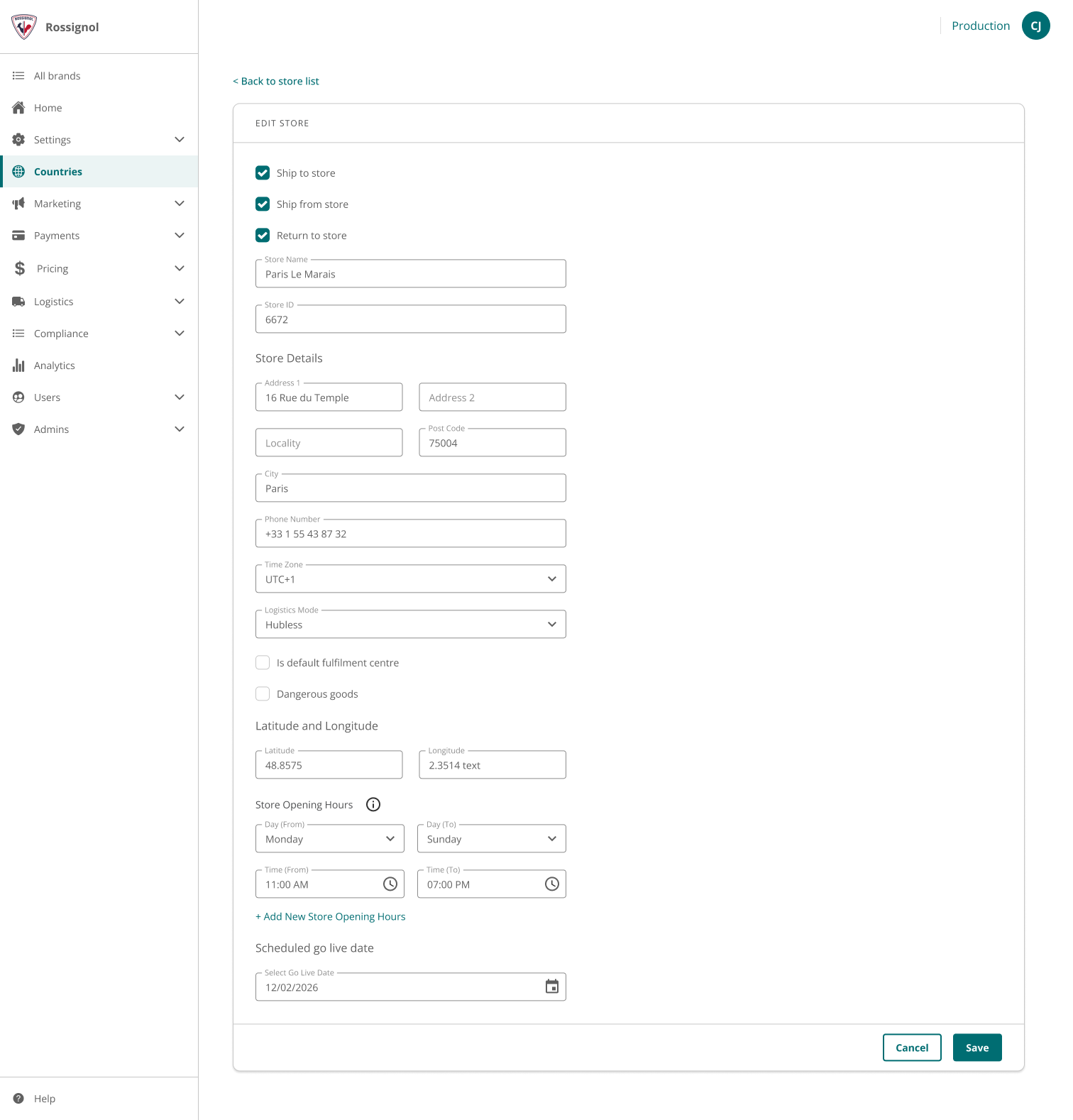
Manage store Opening Hours
Schedule the desired go-live date for a Store
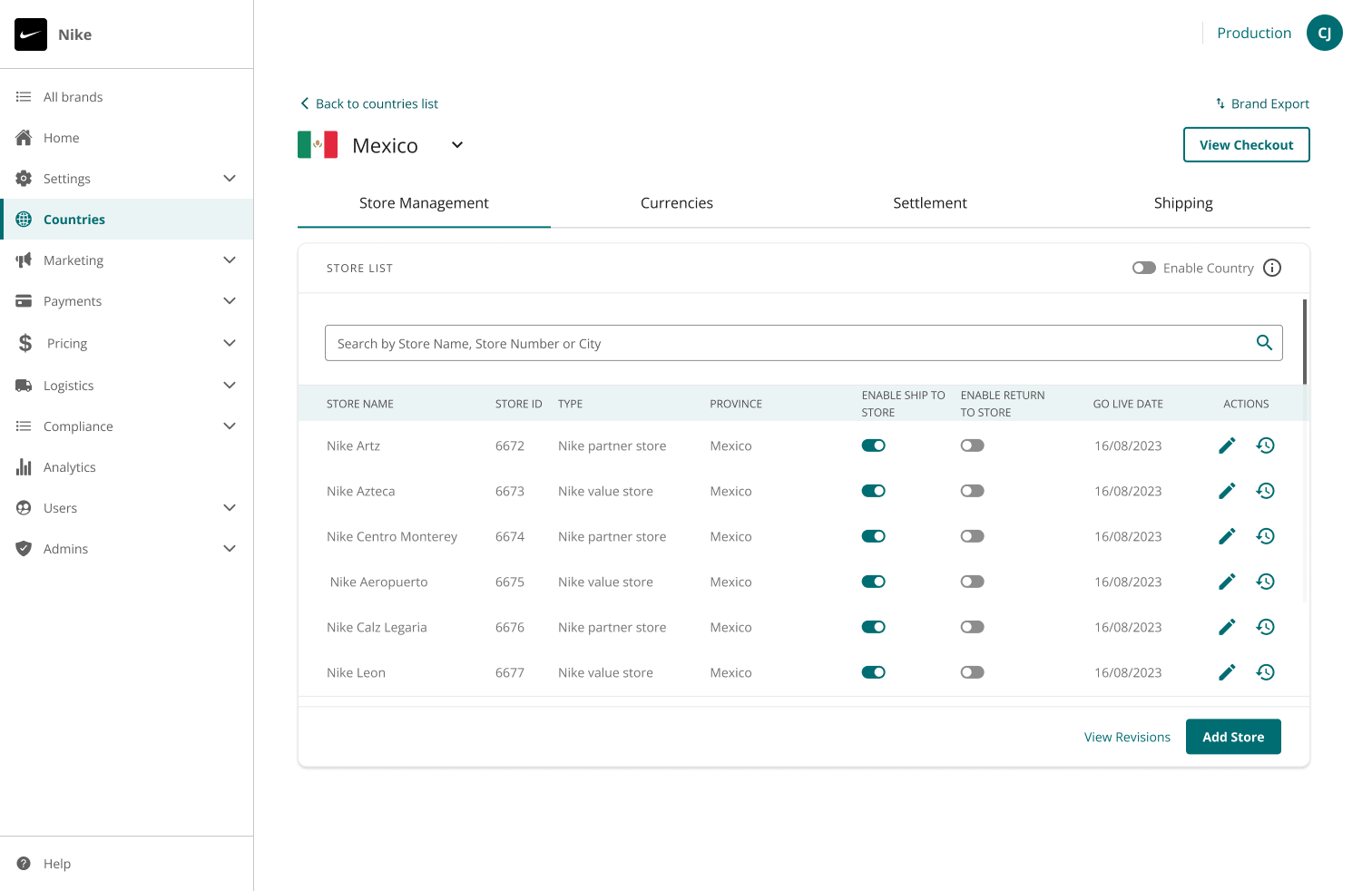
Manage stores details (address, contact details, opening and closing hours and go live data)
Configure ship to store (STS), return to store (RTS) and ship from store (SFS) capabilities
Ability to set up store as a default fulfillment centre when SFS is enabled
Configure whether the store supports D/G goods when SFS is enabled
Overview
Originally launched as Ship to Store for Nike, this feature evolved as new capabilities including Return to Store and Ship from Store were introduced. In parallel, the company underwent a brand refresh focused on accessibility compliance, resulting in visible UI differences across iterations.
While first delivered for Nike across ESW markets, the solution was scaled in 2023 and made available to all eligible core retailers.
Ship to store
Ship-to-Store is a capability that allows shoppers to choose a physical retail store location for receiving their online purchases.
Return to store
The Return to Store capability enables retailers to process returns using their own stores rather than a return center.
Ship from store
Ship from Store capability enables retailers to use physical storefronts as fulfillment centers to ship online orders directly to customers.
Shopper journey
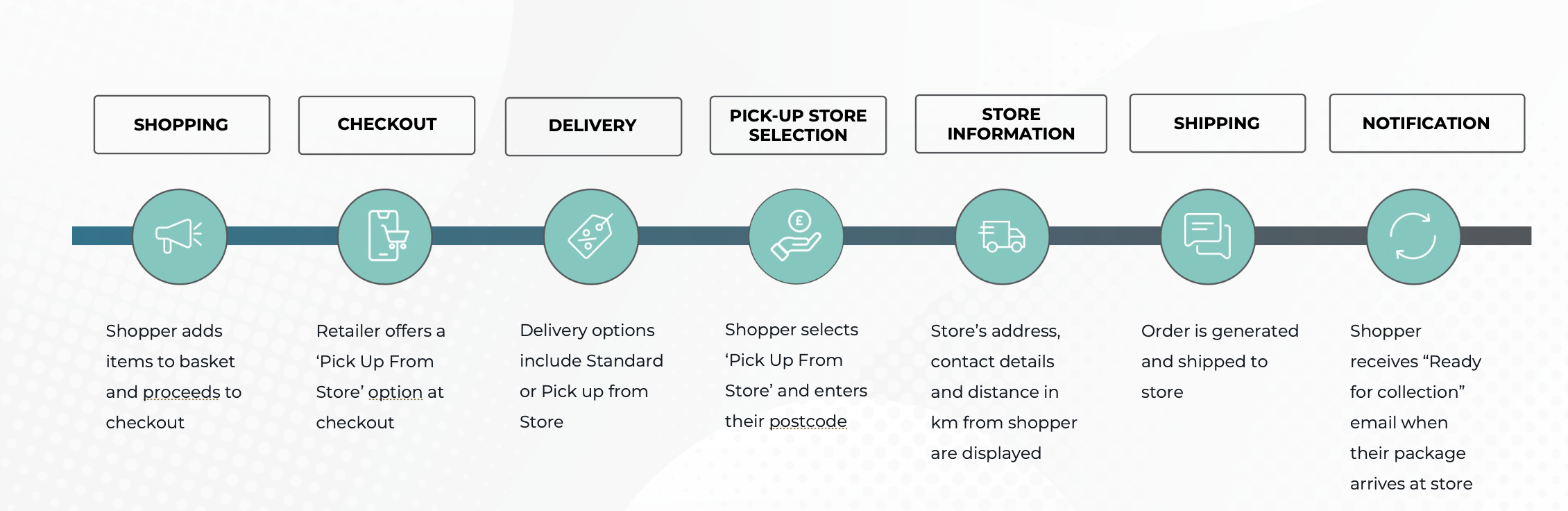
Ship to store
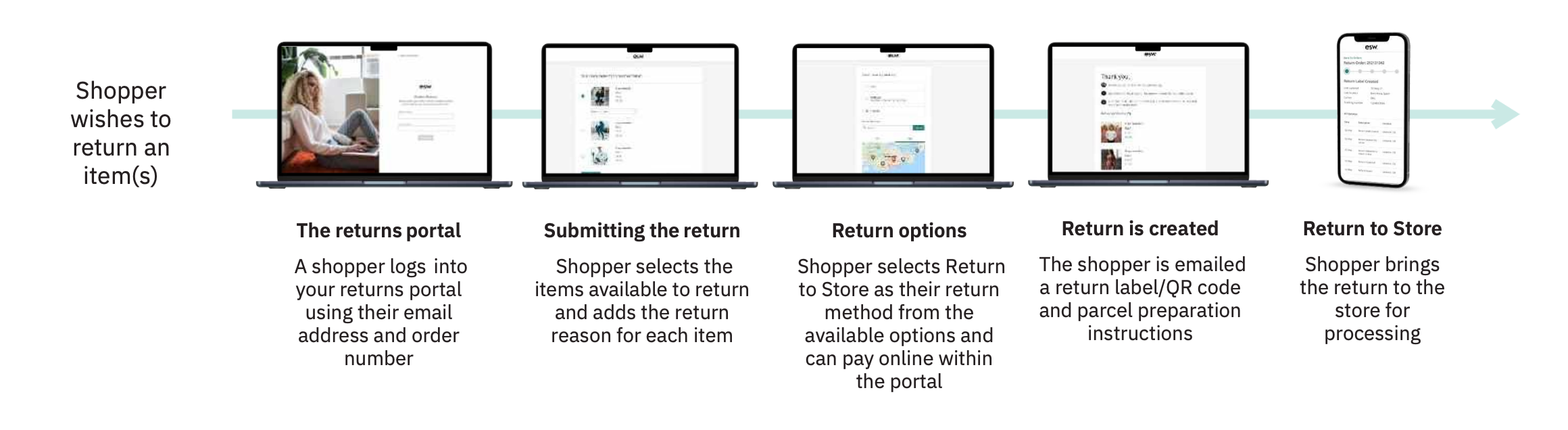
Return to store
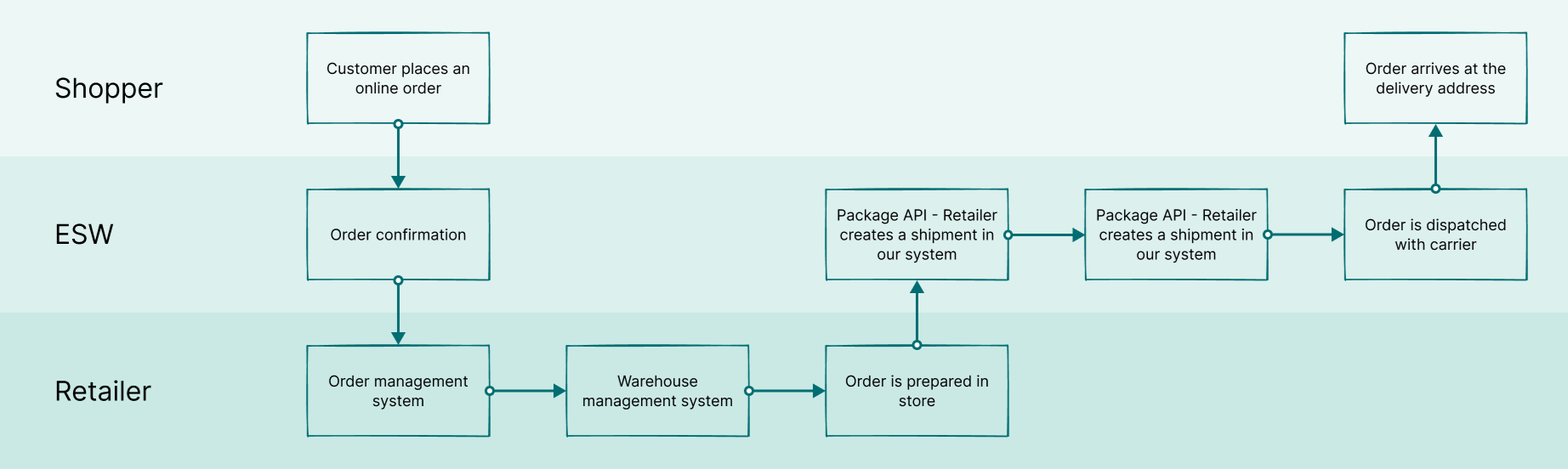
Ship from store
Study goals
In this research we tested ESP enterprise feature called as Ship to Store with users from Nike's global operation hubs in Singapore and Mexico. This was the first-time we tested prototype designs directly with employees from Nike's global operations.
Primary goals
Is the information provided coherent?
Are call-to-action buttons and icons clear?
Can users easily perform the key tasks?
Is there any problem areas?
What can we do to improve the overall user experience?
Does the user flow make sense?
Secondary goal
Establish channels for future testing panels with Nike's global organisation. We haven't done much usability testing with our clients to date, and it marks an exciting new opportunity to collect direct feedback from end users. ESP is being adopted by Nike to replace older store management systems. There will be a learning curve during this adoption and further testing will be needed to validate future designs and functionality. These testing panels will play a valuable role in this process.
Methodology
6 users from Singapore and Mexico regions were selected. Users interacted with a prototype design and provided valuable feedback and insights to be fed back into the design process.
Steps in the process
Creation of a research outline that was communicated to Nike.
Identification of a suitable Nike testing panel.
Preparation of the testing prototype and task instructions script.
Scheduling tests at a suitable time accounting for time zones of the ESW design team and Nike users in Singapore (+7 hours) and Mexico (-6 hours).
Language proficiency of participants was another important consideration with our research team limited to English.
Steps in the project
After liaising with the Nike team we created a shortlist of testing candidates.
We finalised creation of prototypes using Figma.
We created a script and pilot testing with a single user for the shortlist to validate the process.
Users were asked to book an available slot using Calendly.
A UX researcher on our team was present to take notes during the call.
The users were asked to think out loud as they navigated through the prototype.
A/B Testing
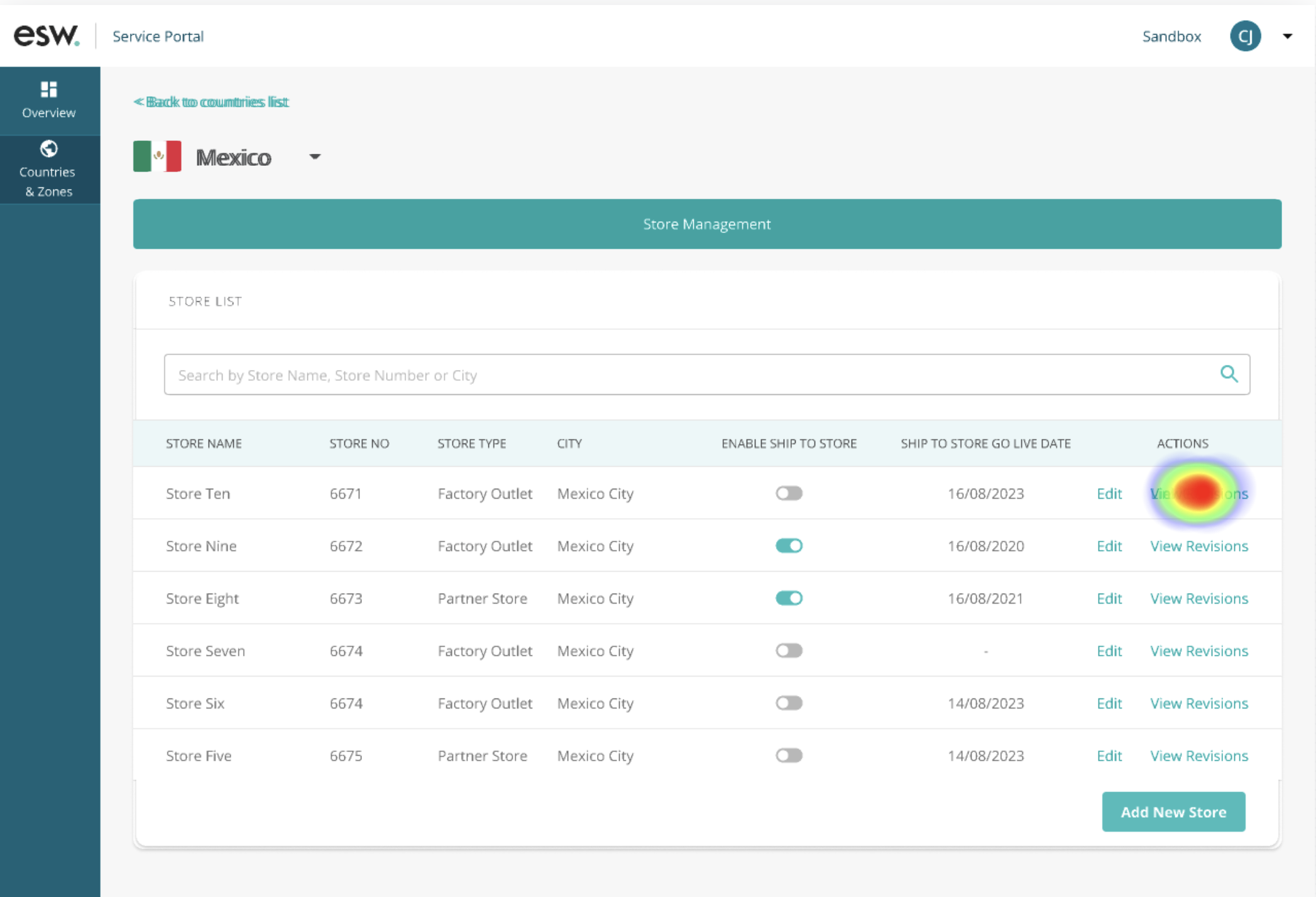
A quantitative analysis was conducted in parallel to validate the whether to use icons or text for the row level CTA of data table across the ESW service portal (ESP) we use icons as well as only text for the action links within a table. And the internal teams use one over the other purely based on their personal preference. But what about the end user's preference?
Hence, we conducted this usability study to understand which version is more effective & user-friendly.
Primary goals
To collect quantitative data to determine whether action links as text or icon is more efficient based on the following criteria:
Mission success rate
Mis-click rate
Average duration
Secondary goals
The secondary goal of the study was to understand the difficulties faced by the end users. We asked them to :
Rate the overall task from 1 - 5
Explain the difficulties they faced during the task (if they gave a rating less than 5)
Methodology
For this particular study we used the Maze testing panel.
Language was the only criteria set, since the wireframes were in English it was vital to recruit testers who understands the language.
Testing panel
We conducted an A/B test and send out two variations of the same design to 100 testers (50 each)
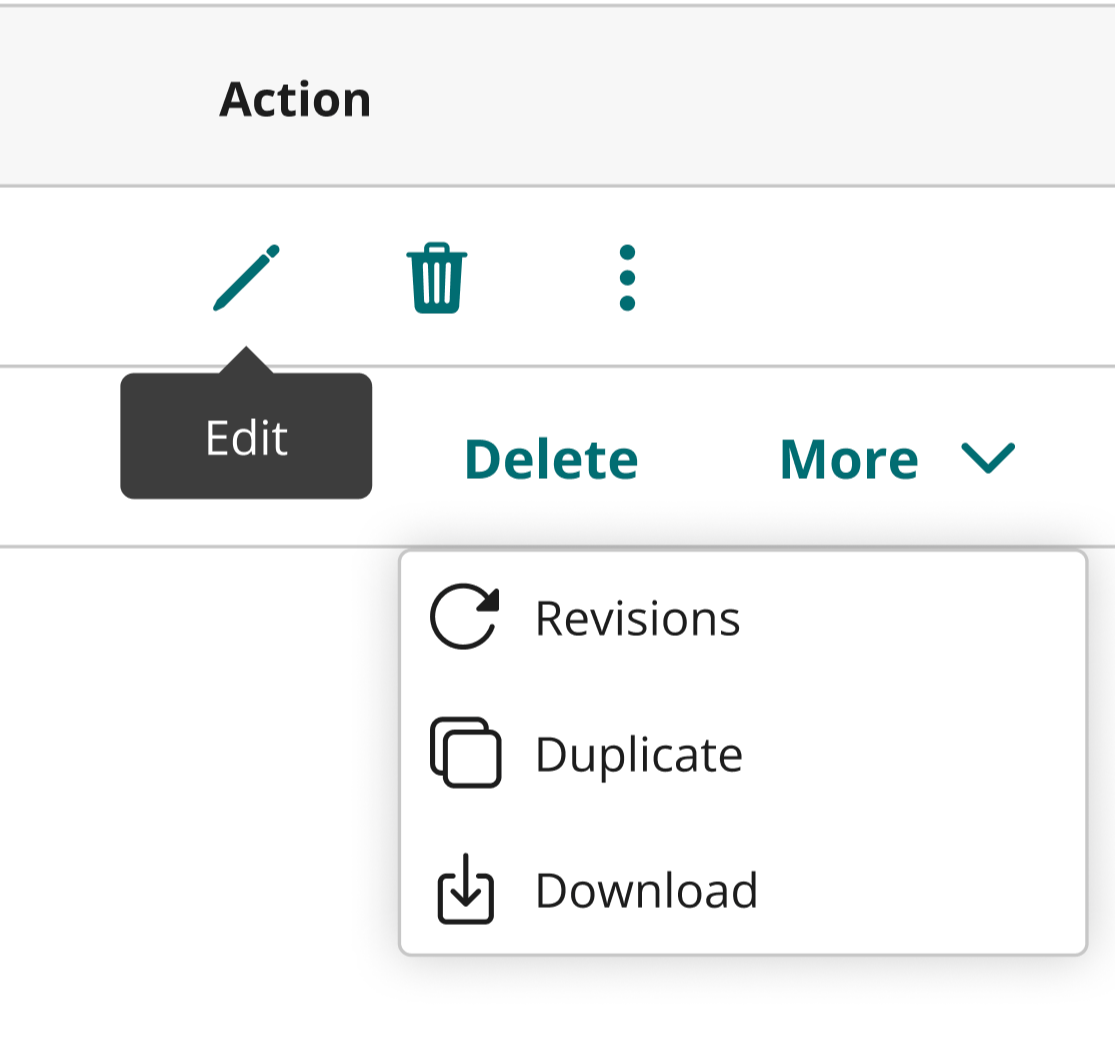
The task was to view revisions of Store Ten.
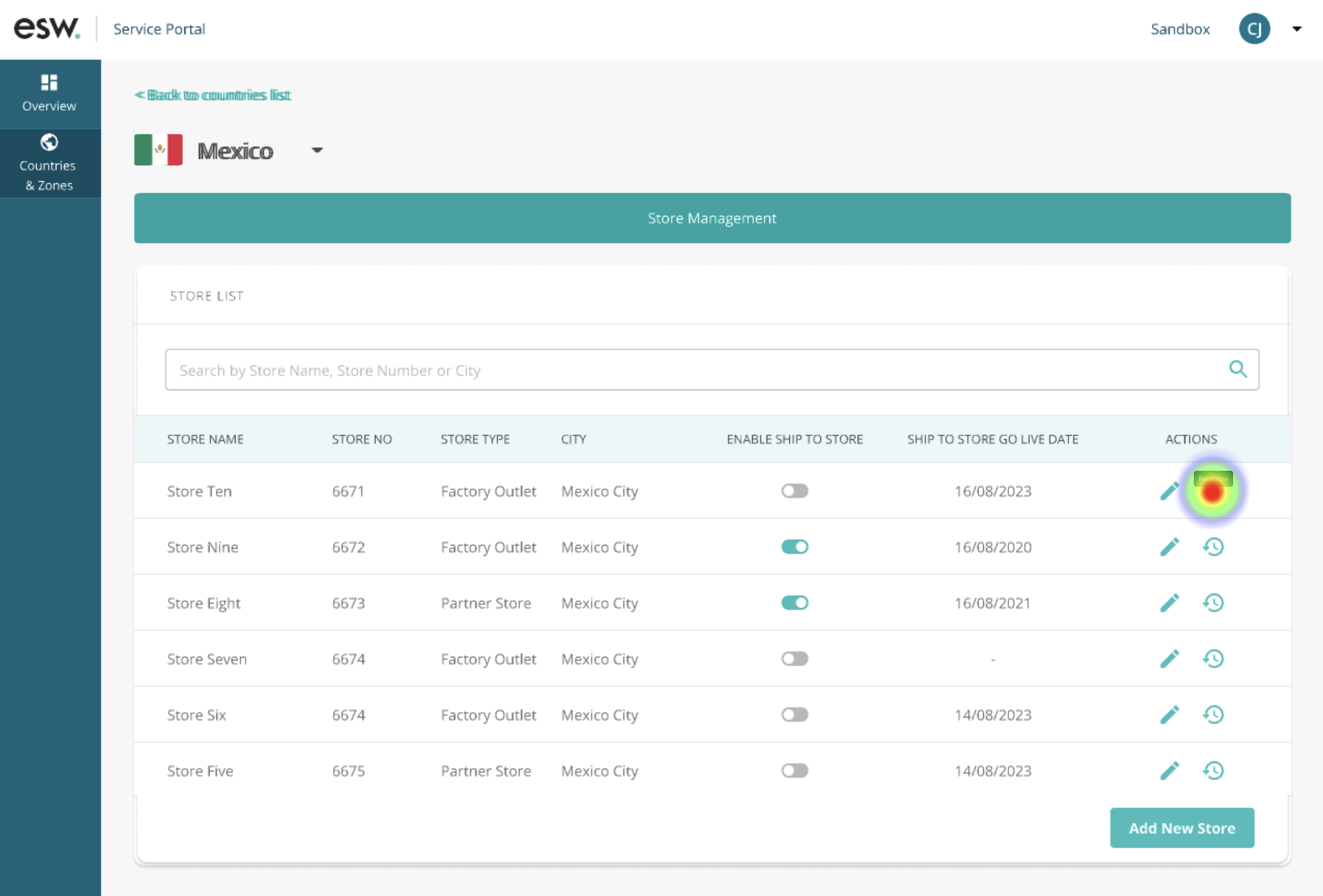
Version A (icon as action links)
Mis-click rate : 38.8 %
Average duration : 41 seconds
Direct success : 60.8 %
Abandonment rate : 19.6 %
Average score : 4 out of 5
Version B (text as action links)
Mis-click rate : 33.3 %
Average duration: 27 seconds
Direct success: 80 %
Abandonment rate: 8 %
Average score: 4.6 out of 5
Outcome
To summarize, Version B (text as action links) outperformed Version A (icon as action links) in all the set criteria and we recommend using it.
This study resulted in starting a dialogue and established a standard across the design team to use text for the action links and only use icons for the universal actions and text for the less widely known actions.
The test results also resulted in the creation of icons with hover over tool tip action link component and overflow menu component into our design library.
Card Sorting
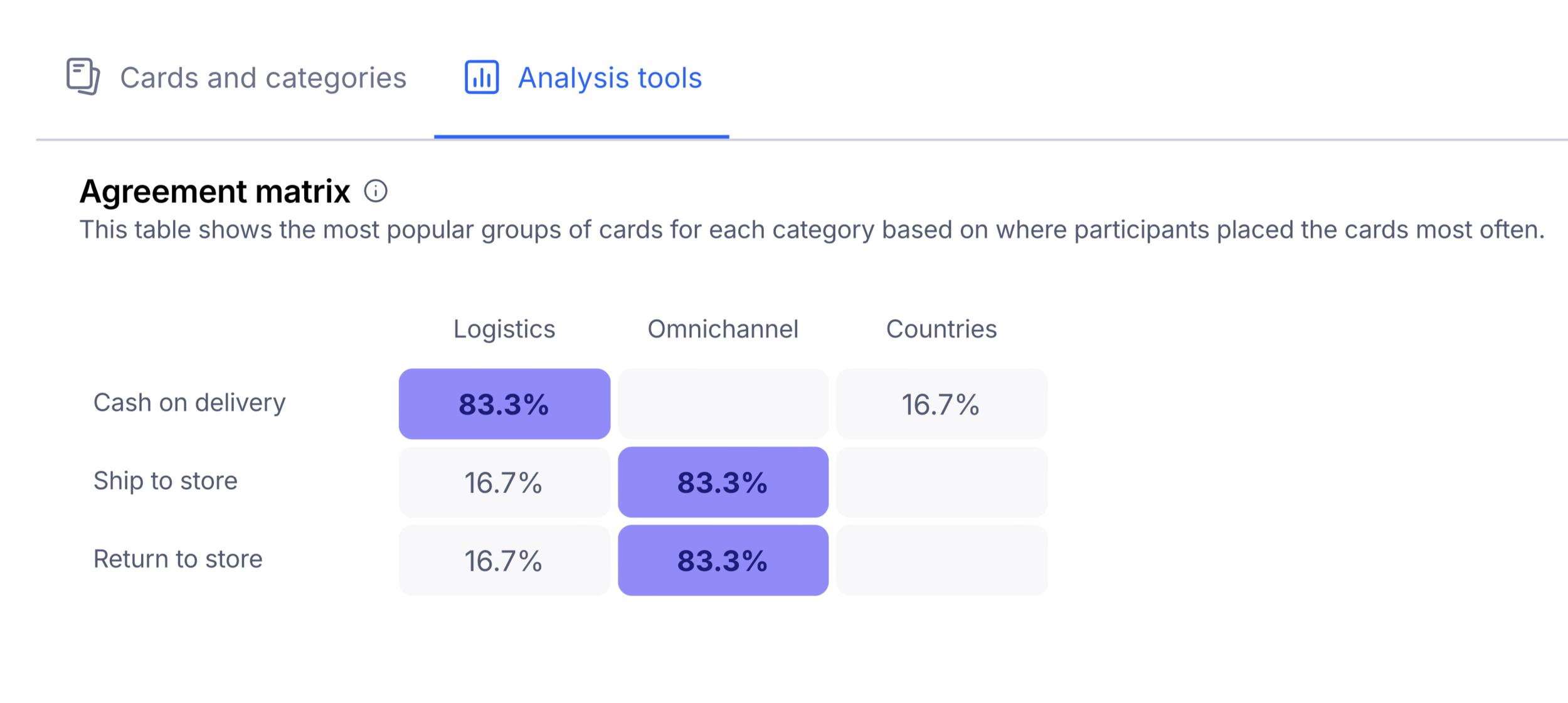
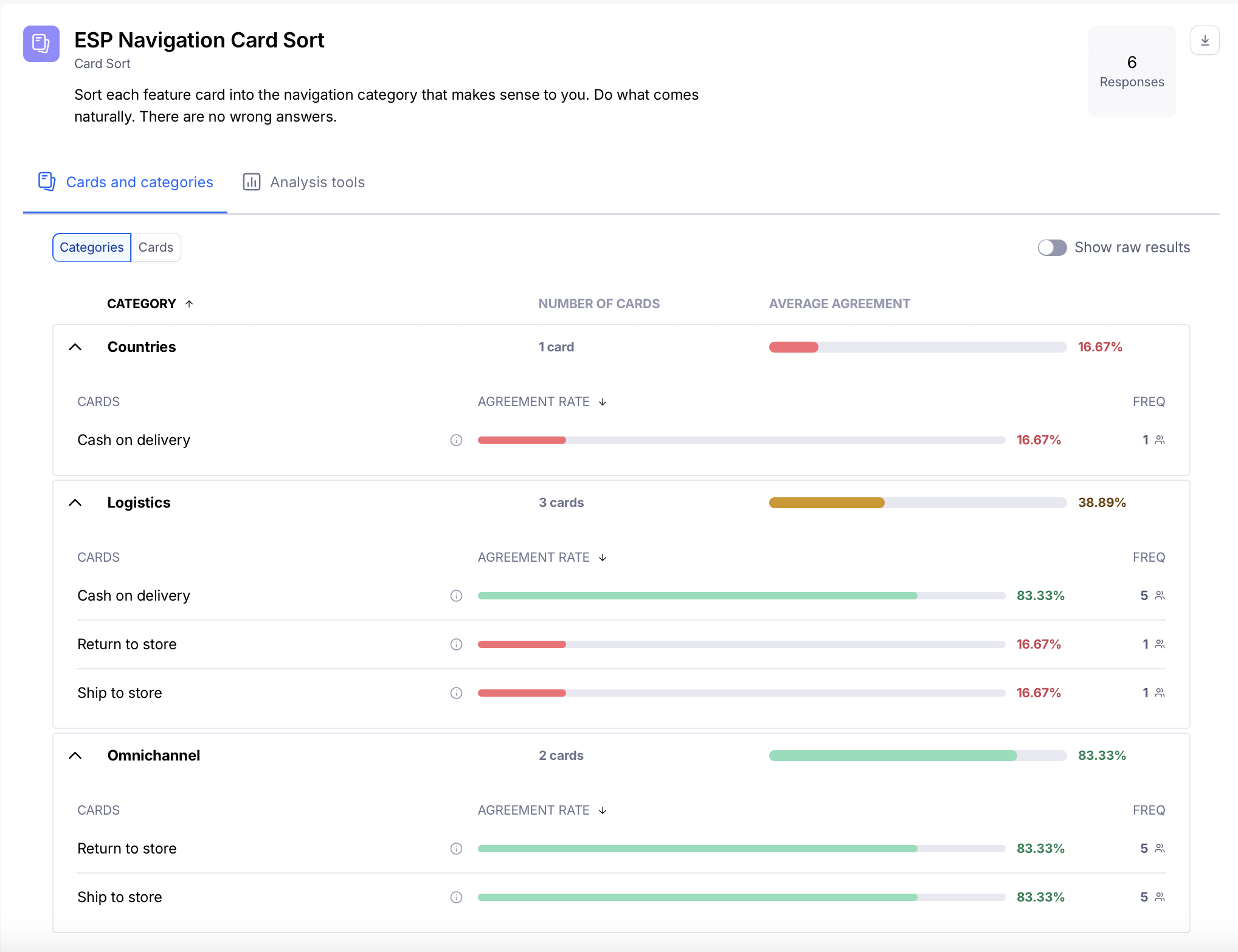
An internal card-sorting exercise was conducted to validate and finalise the information architecture for the Store Management feature.
At the time, ESP did not include an omnichannel navigation item. This requirement was raised by the Nike Product Owner to accommodate upcoming features on the roadmap and create a dedicated section for omnichannel capabilities.
During internal discussions, many stakeholders expected the Return to Store and Ship to Store features to sit under an Omnichannel tab. However, this expectation appeared to be influenced by internal assumptions, as qualitative testing with end users did not surface concerns about the existing feature placement.
Based on these insights, the decision was made to retain the features under Countries until additional roadmap features were ready. Introducing an Omnichannel tab for a single feature did not provide enough value at that stage.
Analysis
I collaborated with UX researcher on our team to analyze the findings we gathered during the test and we mapped it on Miro board to visualize the common themes that emerged during tests.

Findings
The following outcomes were determined from reviewing the testing sessions and directly observing users performing the following tasks:
Landing page: This page seemed clear to most users. They understood this screen allows users to turn on/off or allow a new store for Ship to Store from a particular country. Users went straight to the add new store button easily.
Add new store: Users had a good understanding of this feature. they also brought their own insights and suggestions like: The importance of fields opening hours of customizing scheduled holidays and break down of opening hours on a store by store and location basis.
Generate Labels: Most users were clear about the input fields but unsure about the overall purpose and use case for this feature.
Edit existing stores: This task was easily accomplished and the user preferred seeing their local time.
Enable / disable stores: This task was also preformed easily however the success message was difficult for some user to spot
New updates
Following the success of the Nike Store Management feature, the team expanded its capabilities to include Return to Store.
Test script
Can you please take a moment to study the contents of the screen on your right. Would you like to give any feedback regarding the same ?
How would you enable Return to Store capability for Mexico ?
Can you please take a moment to study the contents of the screen on your right. Would you like to give any feedback regarding the same ?
How would you edit Nike Artz store and enable Labour Day to the list of existing holidays ?
Goal
Is the information provided on the screens coherent?
Are the CTA buttons/icons clear?
Can the users perform the tasks with ease?
Is there any problem areas?
Is there anything we can do in order to improve the overall user experience?
Does the user flow make sense?
Methodology
We facilitated moderated testing sessions with 6 users from Singapore and Mexico. The testers were also asked to complete a set of tasks for Nike Store Management and Reserved For You features.
It was tested if the flow was intuitive and easy to use and if visual elements were understandable. There was a moderator and an observer who took notes for each session.
Takeaways
All the users were able to complete the task smoothly.
Few users were not familiar with Return to Store capability.
Few users would like the ability to edit the duration of holidays since the store might not remain closed on all the days (Chinese new year for example).
Most users would like the ability to set or see the time zone (local time or UTC).
One user wondered the impact holidays can have on EDD.
Evolution
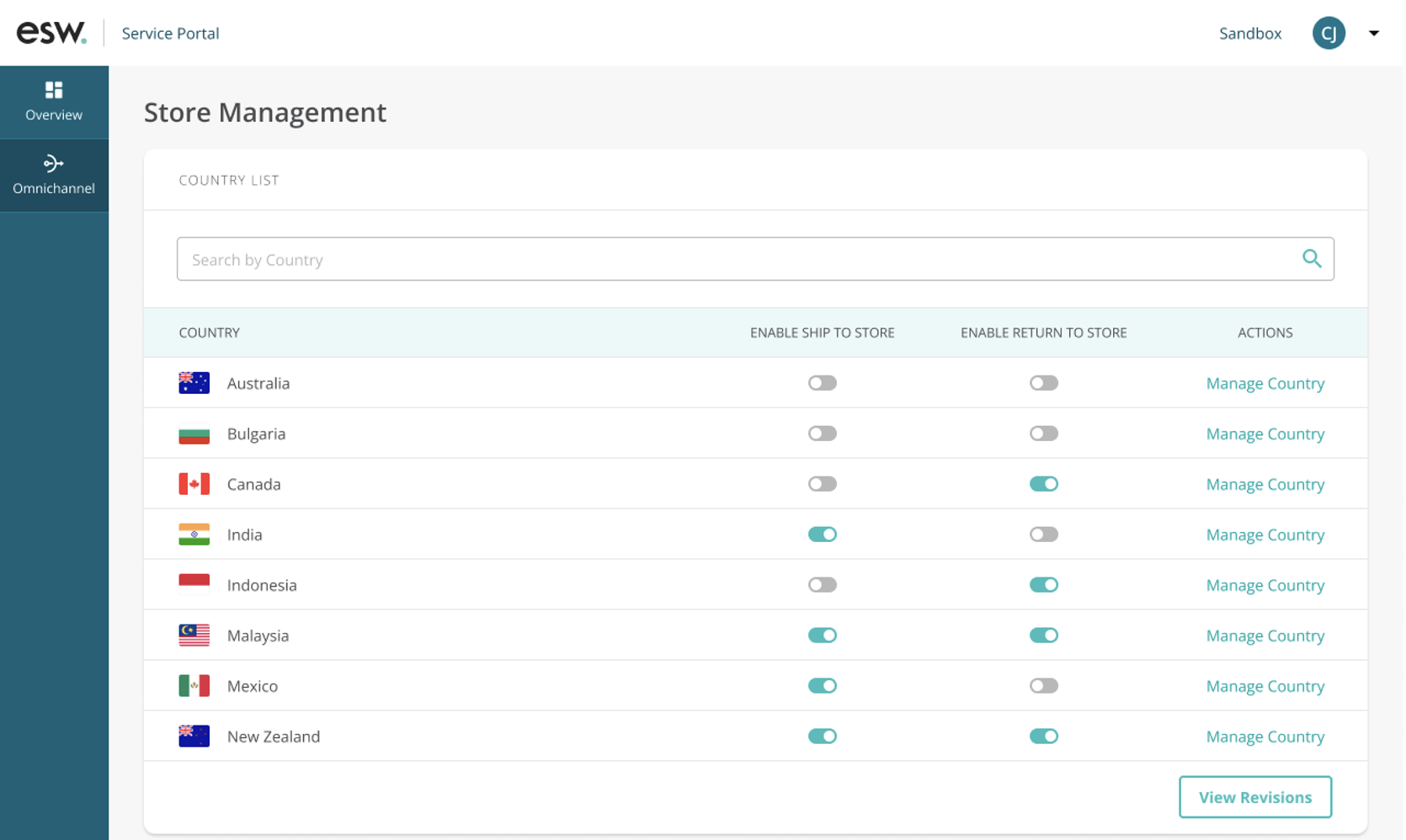
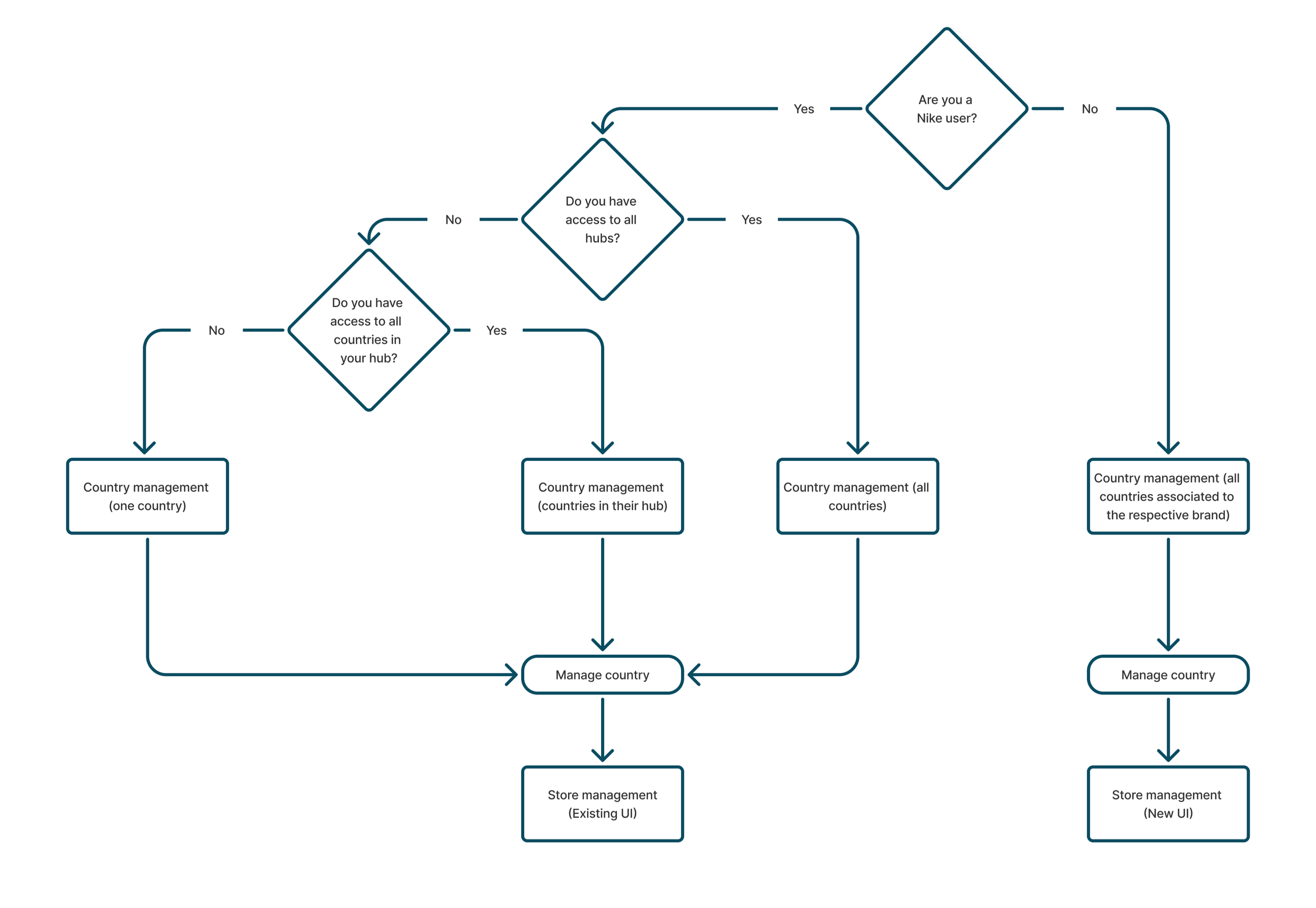
The feature was subsequently offered to core retailers with more complex configuration requirements, a permissions-based approach was introduced. This enabled different views and access levels for Nike and core retailers, determined by the login domain while remaining within the same brand framework.
Nike
Continue to support ship to store and return to store only.
Supports two store types, partner store and value store
Users with full access will be able to see all the hubs, countries and stores.
Users with hub-level access will only see countries and stores in their respective hub.
Users with country-level access will only see stores in their respective country.
Core retailers
Configure ship to store, return to store and ship from store associated to their brand
Configure whether the store has fulfillment centre capabilities when ship from store is enabled
Configure whether the store has dangerous goods capabilities when ship from store is enabled
Doesn’t have store types
Doesn’t have hubs
User flow
High Fidelity UI
Nike UI
Core retailer UI
Benefits
-
Increased footfall in store
As customers come in to collect their orders, they may be enticed to make additional purchases.
-
Reducing carbon footprint
Packaging and transportation optimization as these orders are shipped directly to the stores.
-
Cost effective
Retailers can save some cost through the consolidation of shipments to high volume stores.
Real life impact
Nike Store in the Philippines reported that 80% of consumers are buying additional items when they come to collect their order. This has drastically improved the stores overall conversion rate which before Ship To Store was 35%.
Explore other case studies
-
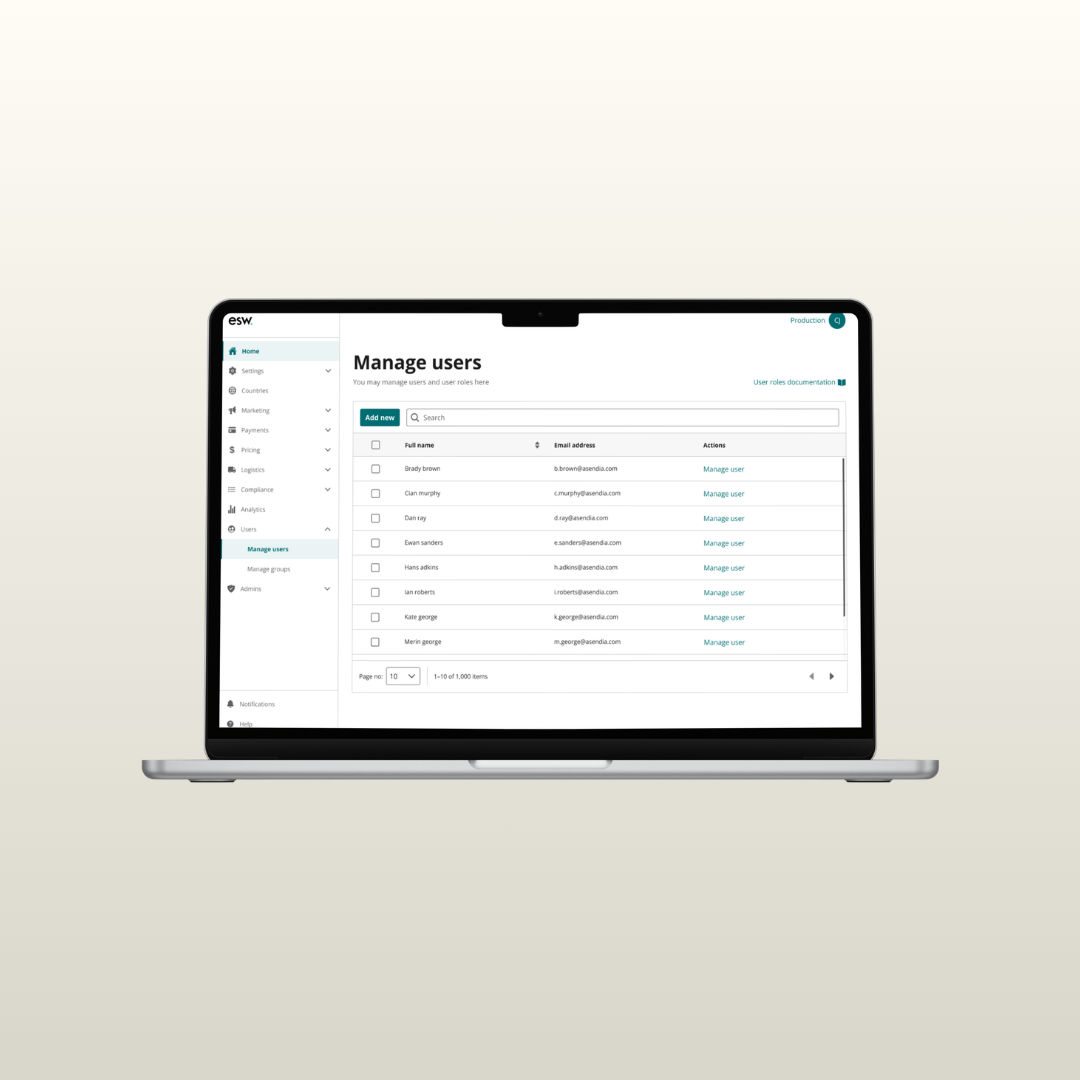
Role Management : Permission Chaos to Clear Control
An internal tooling to assign roles to an user/group to provide them access to all the features it contains.
-
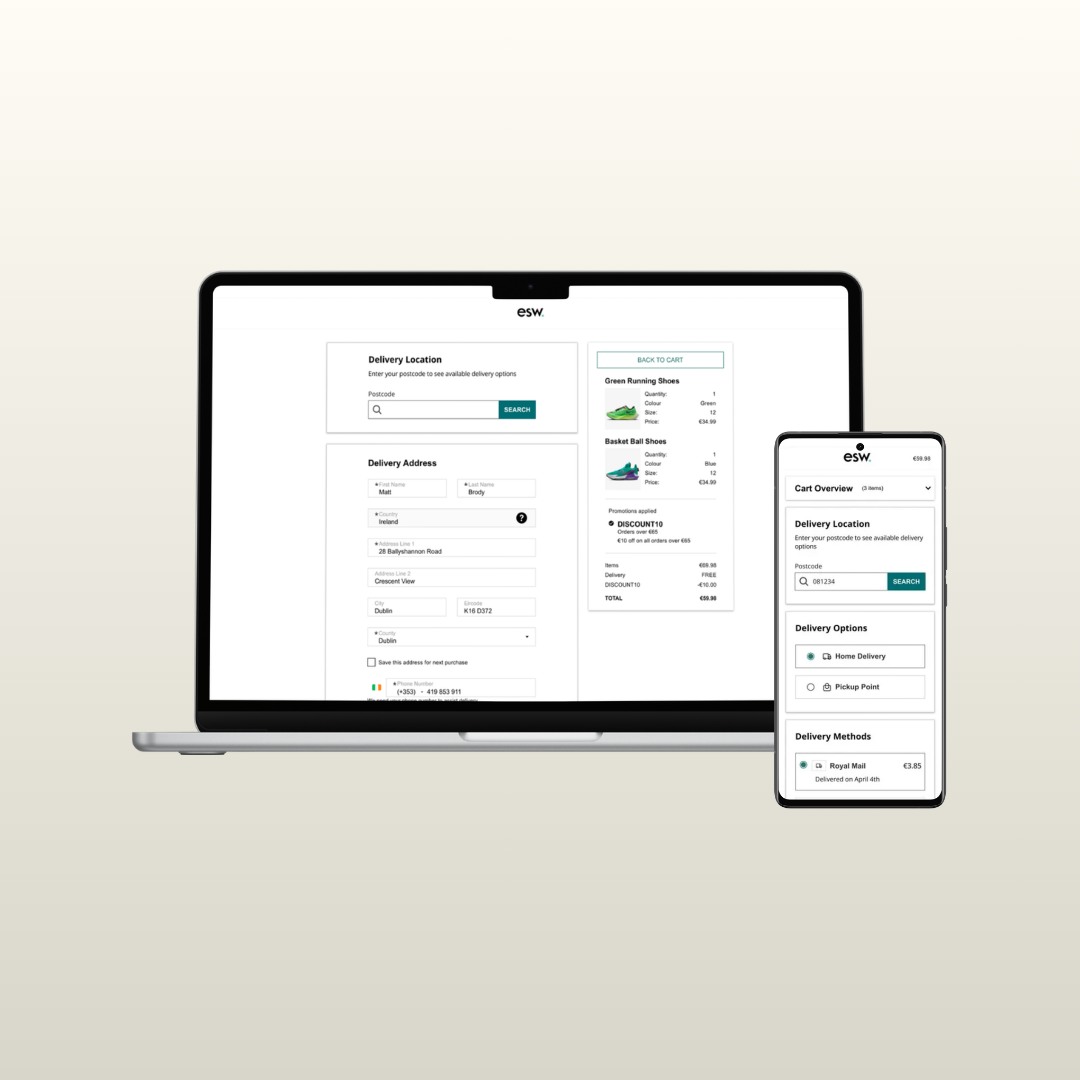
Delivery Options : Static Lists to Intelligent Delivery Choices
A shopper facing tool that provides a personalized and dynamic checkout experience.
-
CSP Migration : Fragmented Portal to Unified Experience
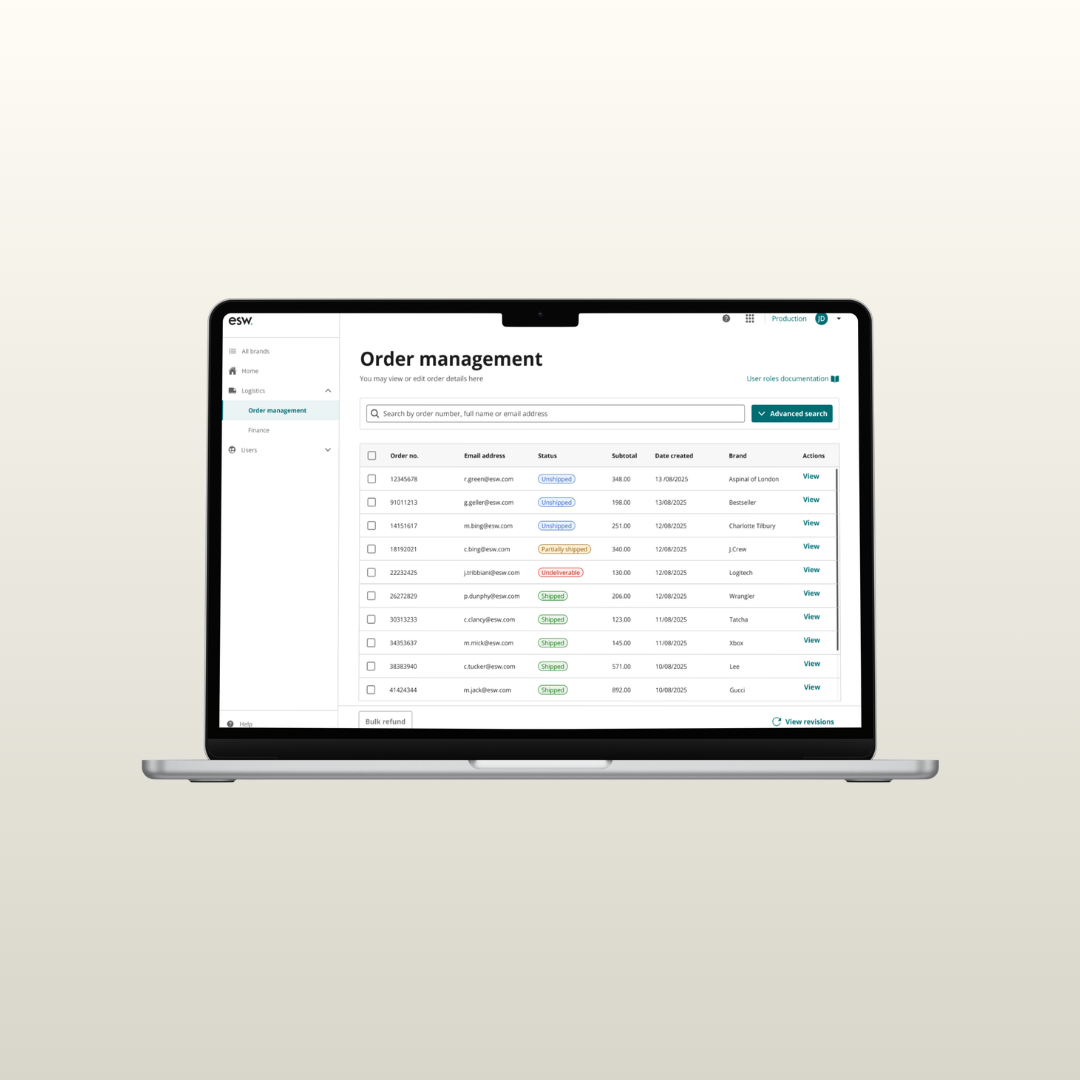
A portal used by the ESW customer service teams and retailers to review and manage shopper orders.