Scaling Fulfilment Services Across ESW Retailers
As retailers continue to blend digital and physical commerce, store networks are becoming strategic fulfilment hubs rather than solely points of sale. This project focused on scaling omnichannel capabilities including Return to Store (RTS), Ship to Store (STS), and Ship From Store (SFS) from a successful Nike implementation to ESW's wider retailer portfolio.
ROLE
Product Designer
BRAND
Nike + Core Retailers
PLATFORM
ESW Service Portal, Checkout
PROJECT TYPE
B2B, B2C
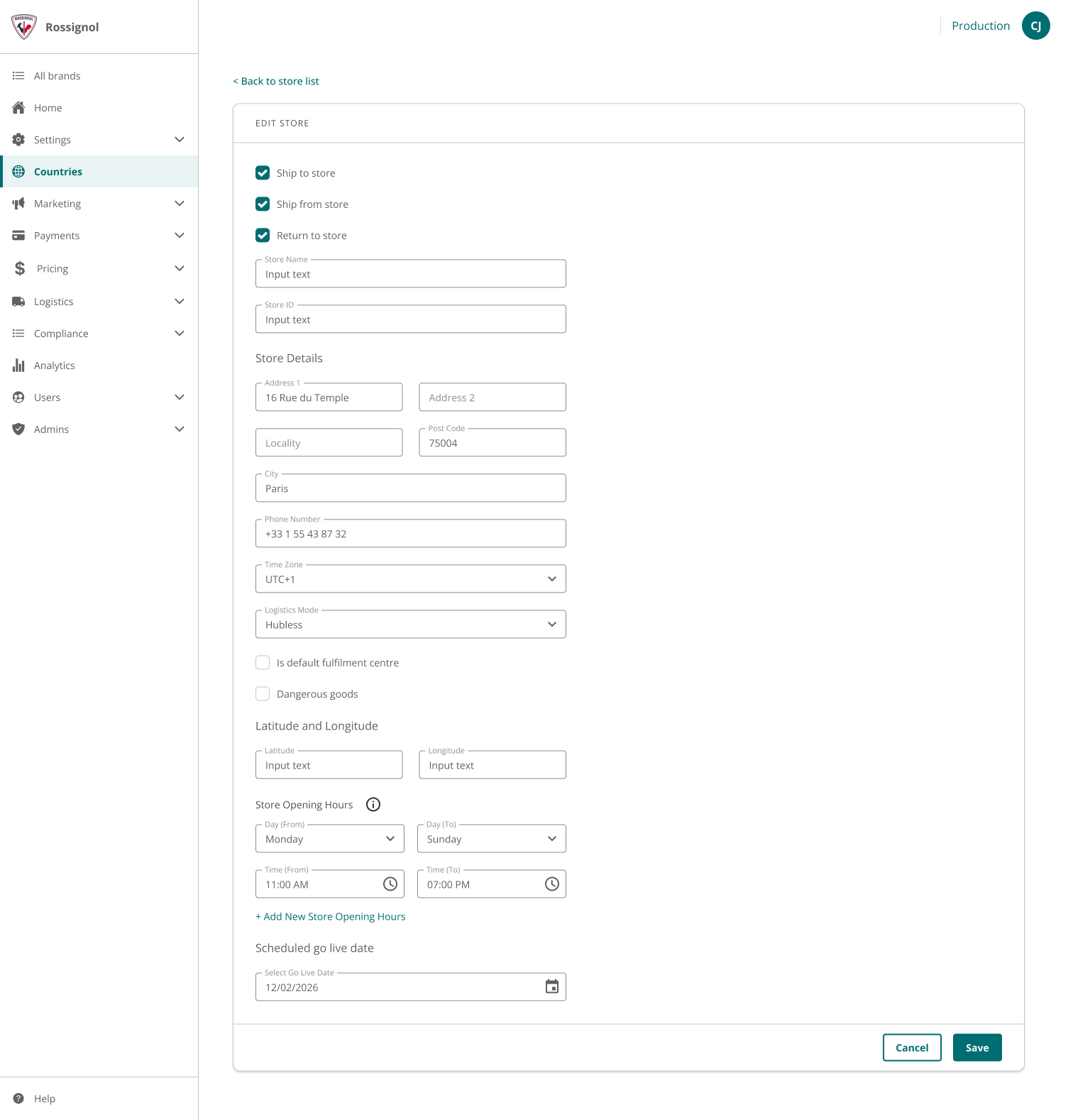
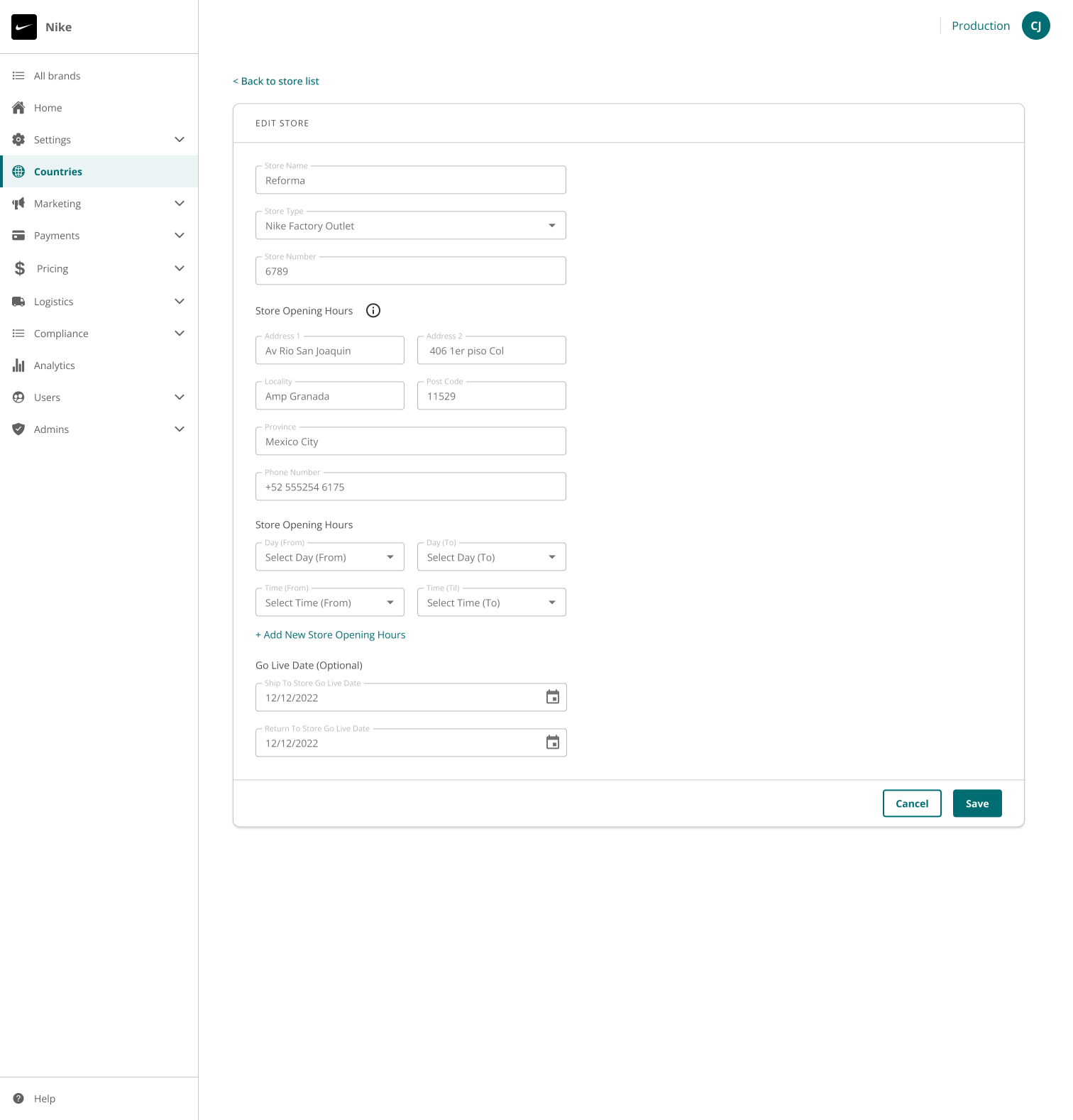
CONTEXTEnable/disable a storeAdd a new store locationManage store Opening HoursSchedule the desired go-live date for a StoreManage stores details (address, contact details, opening and closing hours and go live data)Configure ship to store (STS), return to store (RTS) and ship from store (SFS) capabilitiesAbility to set up store as a default fulfillment centre when SFS is enabledConfigure whether the store supports D/G goods when SFS is enabled
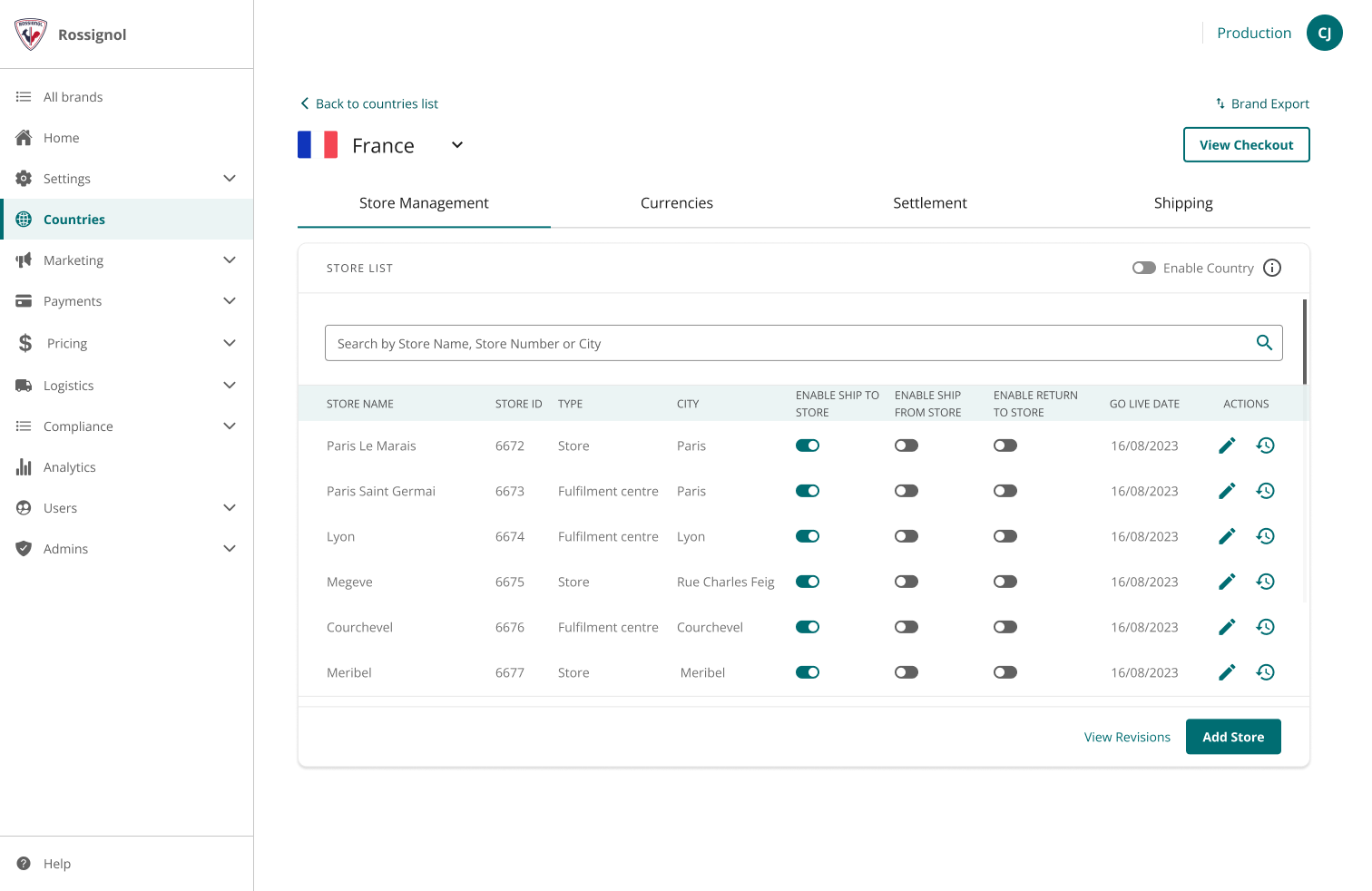
Store Management is a retailer facing tool to help them self manage the store and omnichannel fulfillment capabilities. EVOLUTIONOriginally launched as Ship to Store for Nike, this feature evolved as new capabilities including Return to Store and Ship from Store were introduced. In parallel, the company underwent a brand refresh focused on accessibility compliance, resulting in visible UI differences across iterations.
While first delivered for Nike across ESW markets, the solution was scaled in 2023 and made available to all eligible core retailers.Ship to store
STS is a capability that allows shoppers to choose a physical retail store location for receiving their online purchases.Return to store
The RTS capability enables retailers to process returns using their own stores rather than a return center.Ship from store
STS capability enables retailers to use physical storefronts as fulfillment centers to ship online orders directly to customers. SHIP TO STORE JOURNEY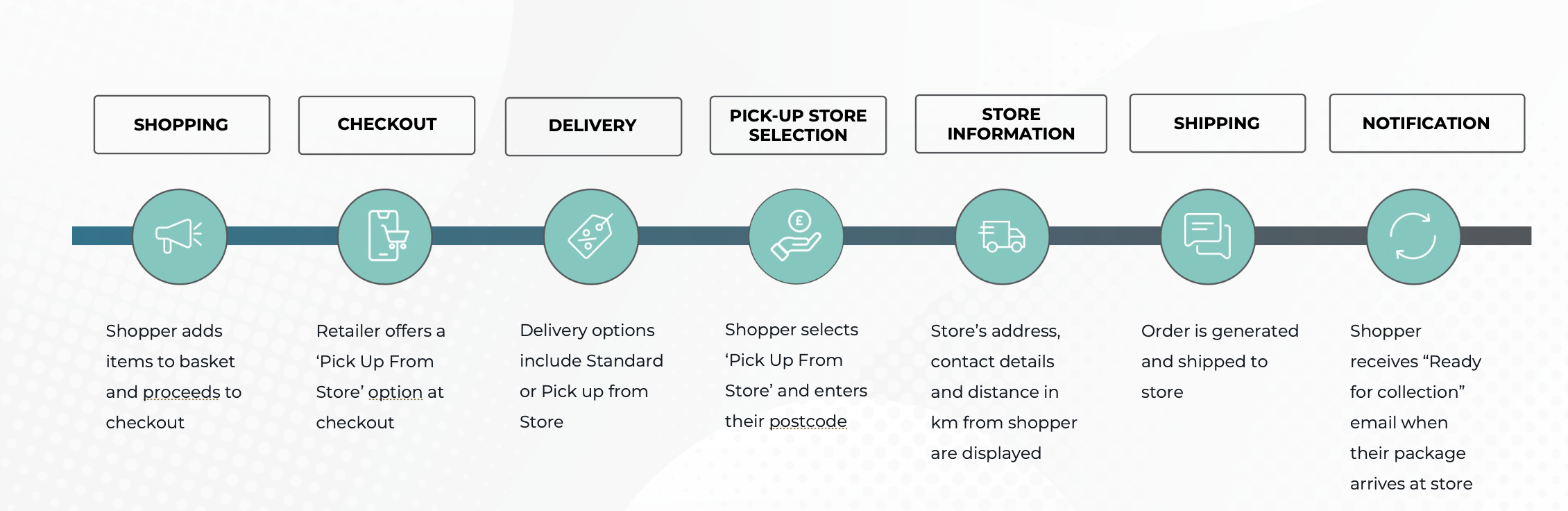
RETURN TO STORE JOURNEY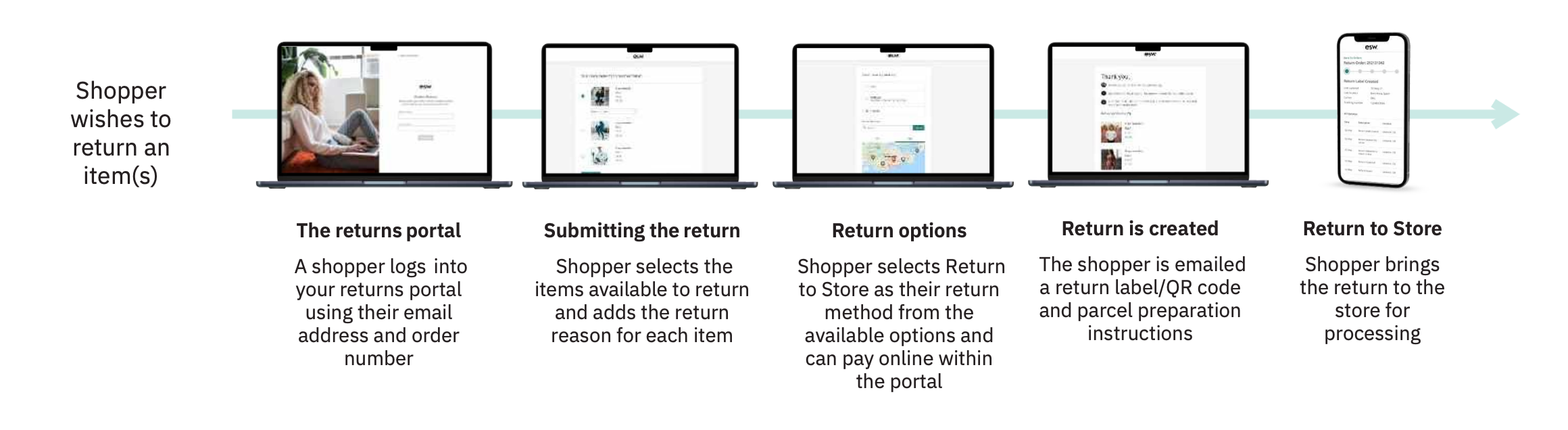
SHIP FROM STORE JOURNEY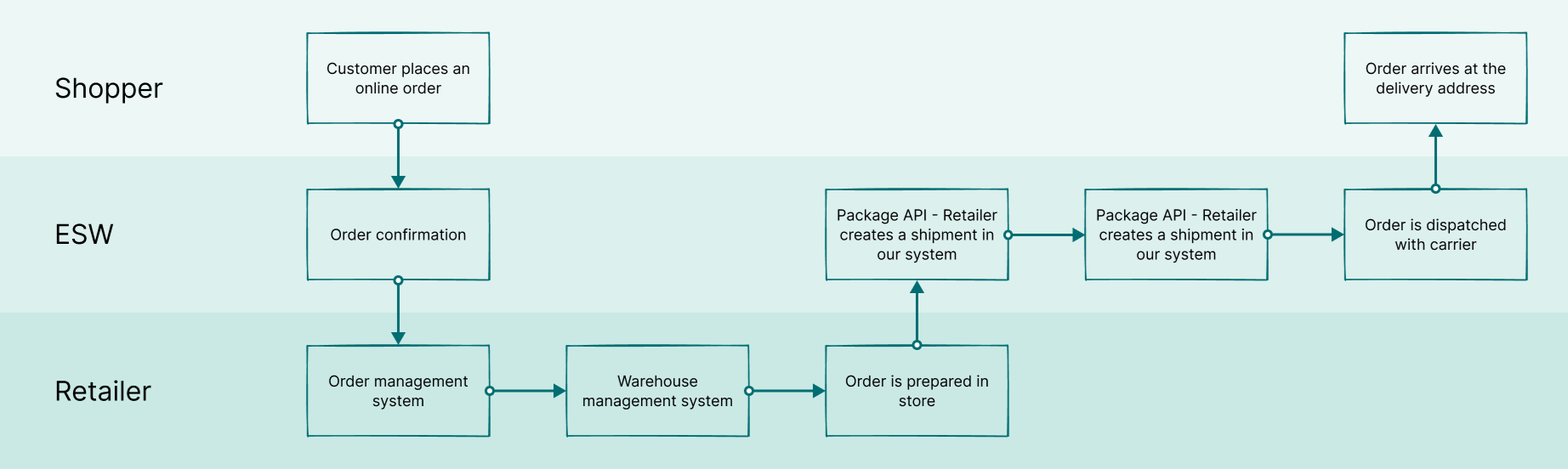
6 users from Singapore and Mexico regions were selected. Users interacted with a prototype design and provided valuable feedback and insights to be fed back into the design process. METHODOLOGYSteps in the process

Creation of a research outline that was communicated to Nike
Identification of a suitable Nike testing panelPreparation of the testing prototype and task instructions scriptScheduling tests at a suitable time accounting for time zones of the ESW design team and Nike users in Singapore (+7 hours) and Mexico (-6 hours)Language proficiency of participants was another important consideration with our research team limited to English
Steps in the project
After liaising with the Nike team we created a shortlist of testing candidatesWe finalised creation of prototypes using FigmaWe created a script and pilot testing with a single user for the shortlist to validate the processUsers were asked to book an available slot using CalendlyA UX researcher on our team was present to take notes during the callThe users were asked to think out loud as they navigated through the prototype
ANALYSISI collaborated with UX researcher on our team to analyze the findings we gathered during the test and we mapped it on Miro board to visualize the common themes that emerged during tests.
FINDINGSThe following outcomes were determined from reviewing the testing sessions and directly observing users performing the following tasks:Landing page: This page seemed clear to most users. They understood this screen allows users to turn on/off or allow a new store for Ship to Store from a particular country. Users went straight to the add new store button easilyAdd new store: Users had a good understanding of this feature. they also brought their own insights and suggestions like: The importance of fields opening hours of customizing scheduled holidays and break down of opening hours on a store by store and location basisGenerate Labels: Most users were clear about the input fields but unsure about the overall purpose and use case for this featureEdit existing stores: This task was easily accomplished and the user preferred seeing their local timeEnable / disable stores: This task was also preformed easily however the success message was difficult for some user to spot
A/B TESTINGA quantitative analysis was conducted in parallel to validate the whether to use icons or text for the row level CTA of data table across the ESW service portal (ESP) we use icons as well as only text for the action links within a table. And the internal teams use one over the other purely based on their personal preference. But what about the end user's preference?
Hence, we conducted this usability study to understand which version is more effective & user-friendly.Methodology
For this particular study we used the Maze testing panel.Language was the only criteria set, since the wireframes were in English it was vital to recruit testers who understands the language.Testing panel
For this particular study we used the Maze testing panel.Language was the only criteria set, since the wireframes were in English it was vital to recruit testers who understands the language.Primary goal
To collect quantitative data to determine whether action links as text or icon is more efficient based on the following criteria:Mission success rateMis-click rateAverage duration
Secondary goal
The secondary goal of the study was to understand the difficulties faced by the end users. We asked them to :Rate the overall task from 1 - 5Explain the difficulties they faced during the task (if they gave a rating less than 5)
Version A (icon as action link)
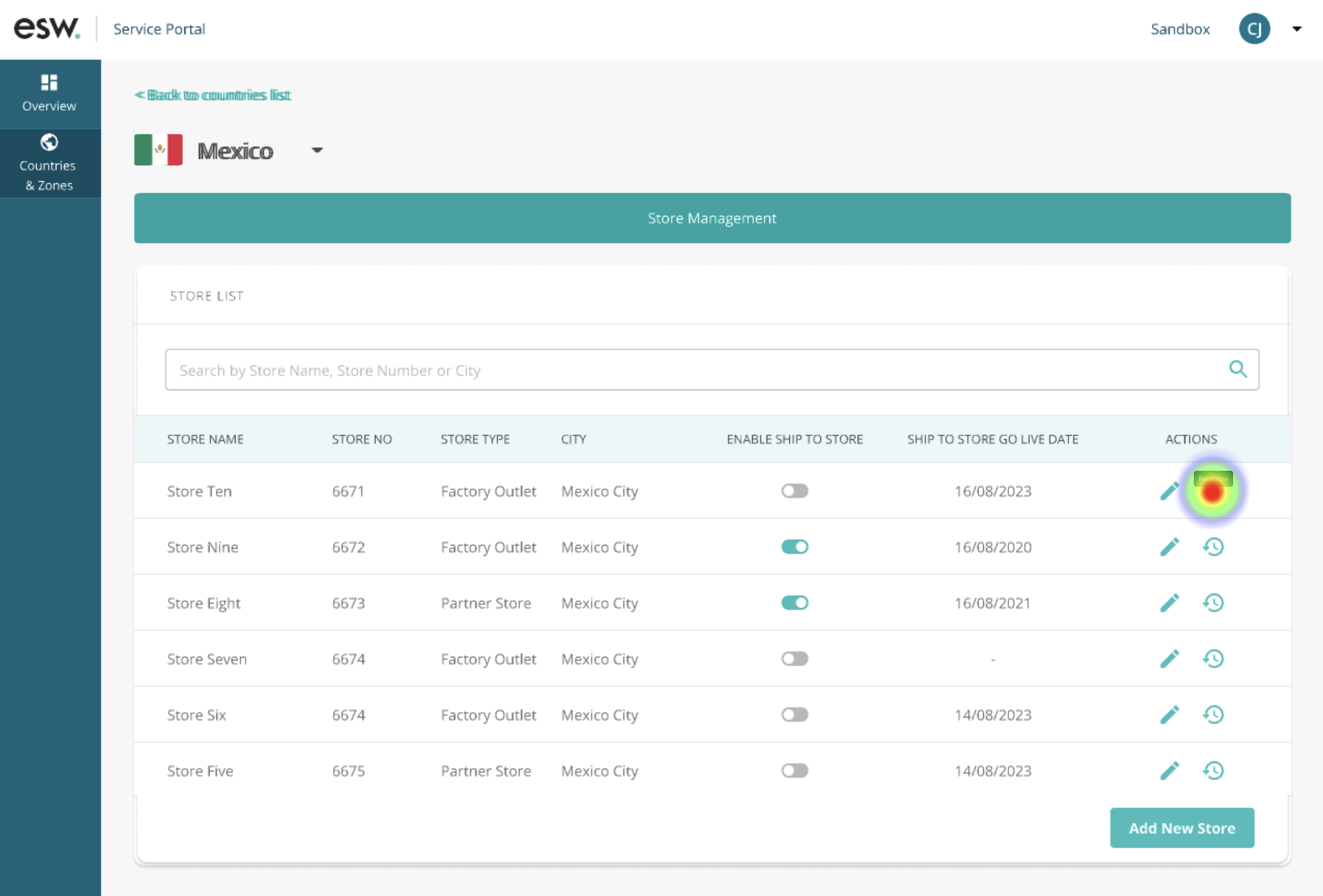
Mis-click rate : 38.8 %Average duration : 41 secondsDirect success : 60.8 %Abandonment rate : 19.6 %Average score : 4 out of 5
Version B (text as action link)
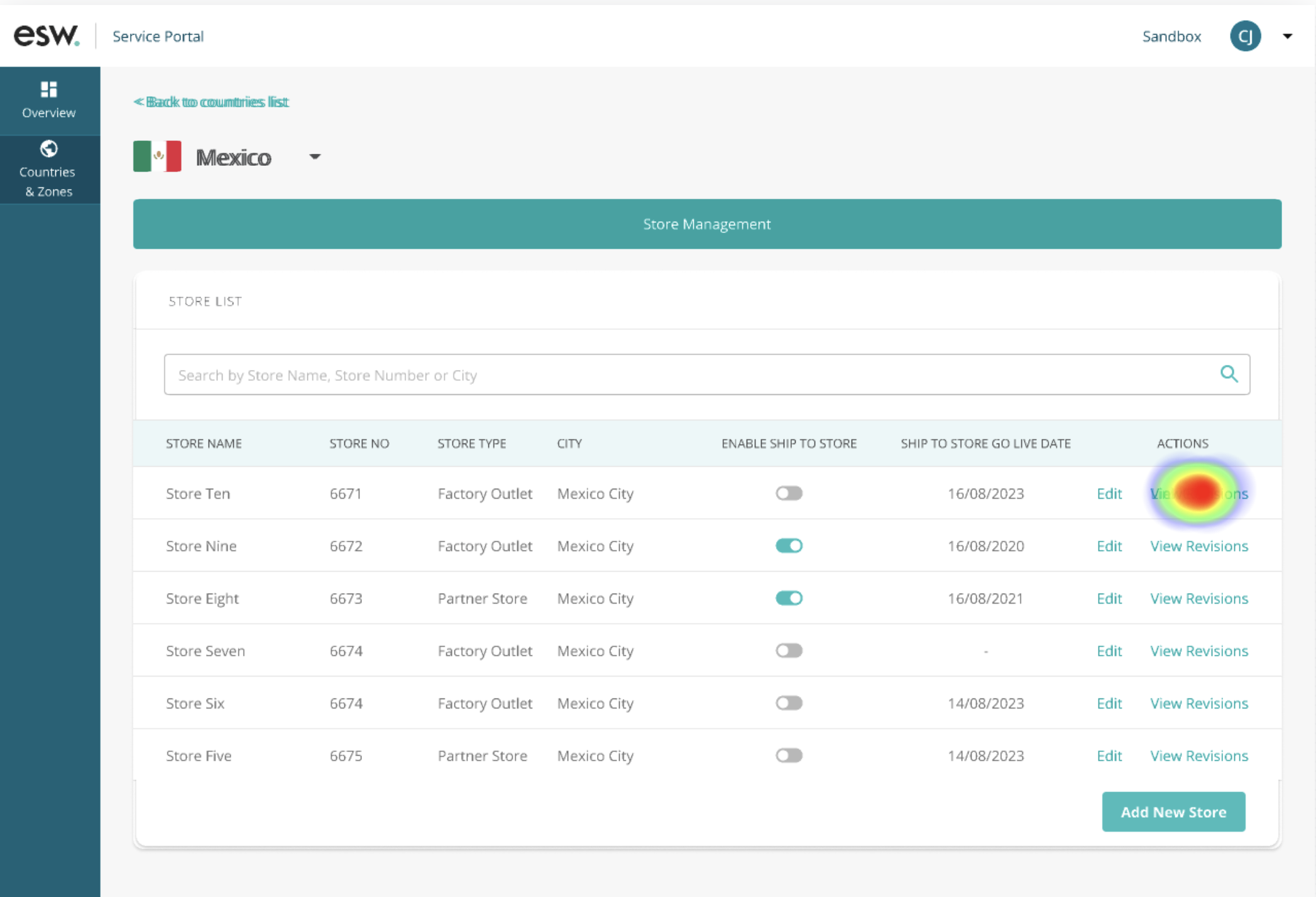
Mis-click rate : 33.3 %Average duration: 27 secondsDirect success: 80 %Abandonment rate: 8 %Average score: 4.6 out of 5
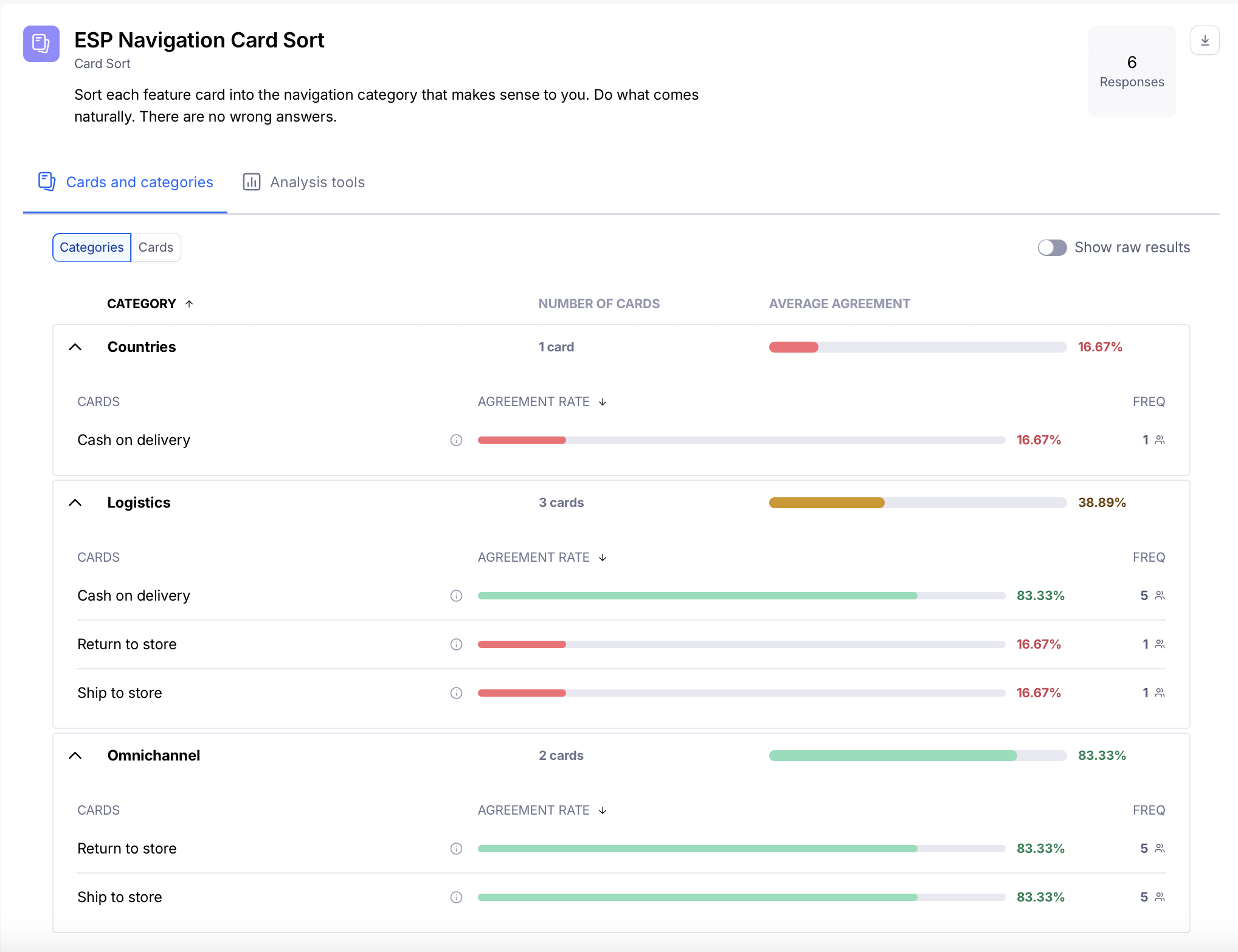
CARD SORTINGAn internal card-sorting exercise was conducted to validate and finalise the information architecture for the Store Management feature.
At the time, ESP did not include an omnichannel navigation item. This requirement was raised by the Nike Product Owner to accommodate upcoming features on the roadmap and create a dedicated section for omnichannel capabilities.
During internal discussions, many stakeholders expected the Return to Store and Ship to Store features to sit under an Omnichannel tab. However, this expectation appeared to be influenced by internal assumptions, as qualitative testing with end users did not surface concerns about the existing feature placement.
Based on these insights, the decision was made to retain the features under Countries until additional roadmap features were ready. Introducing an Omnichannel tab for a single feature did not provide enough value at that stage.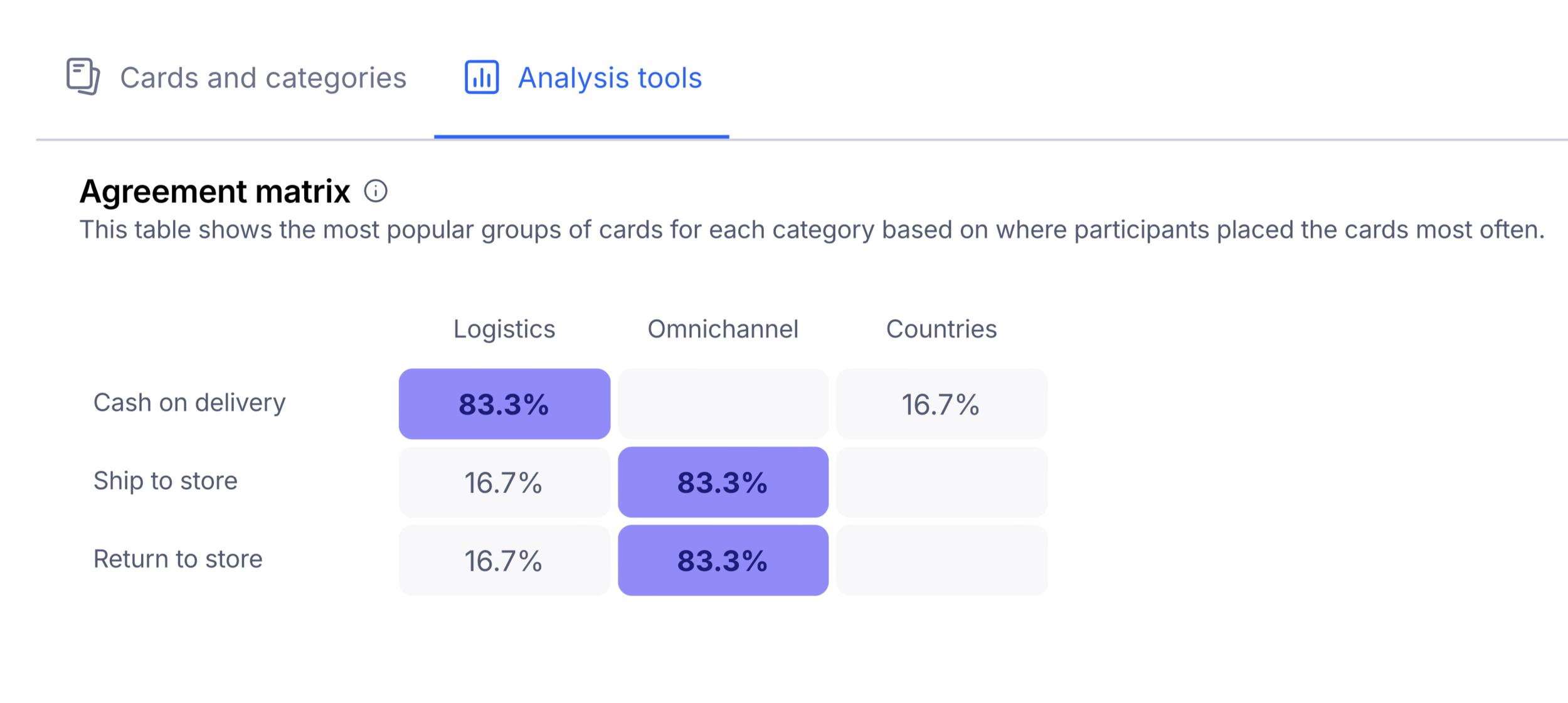
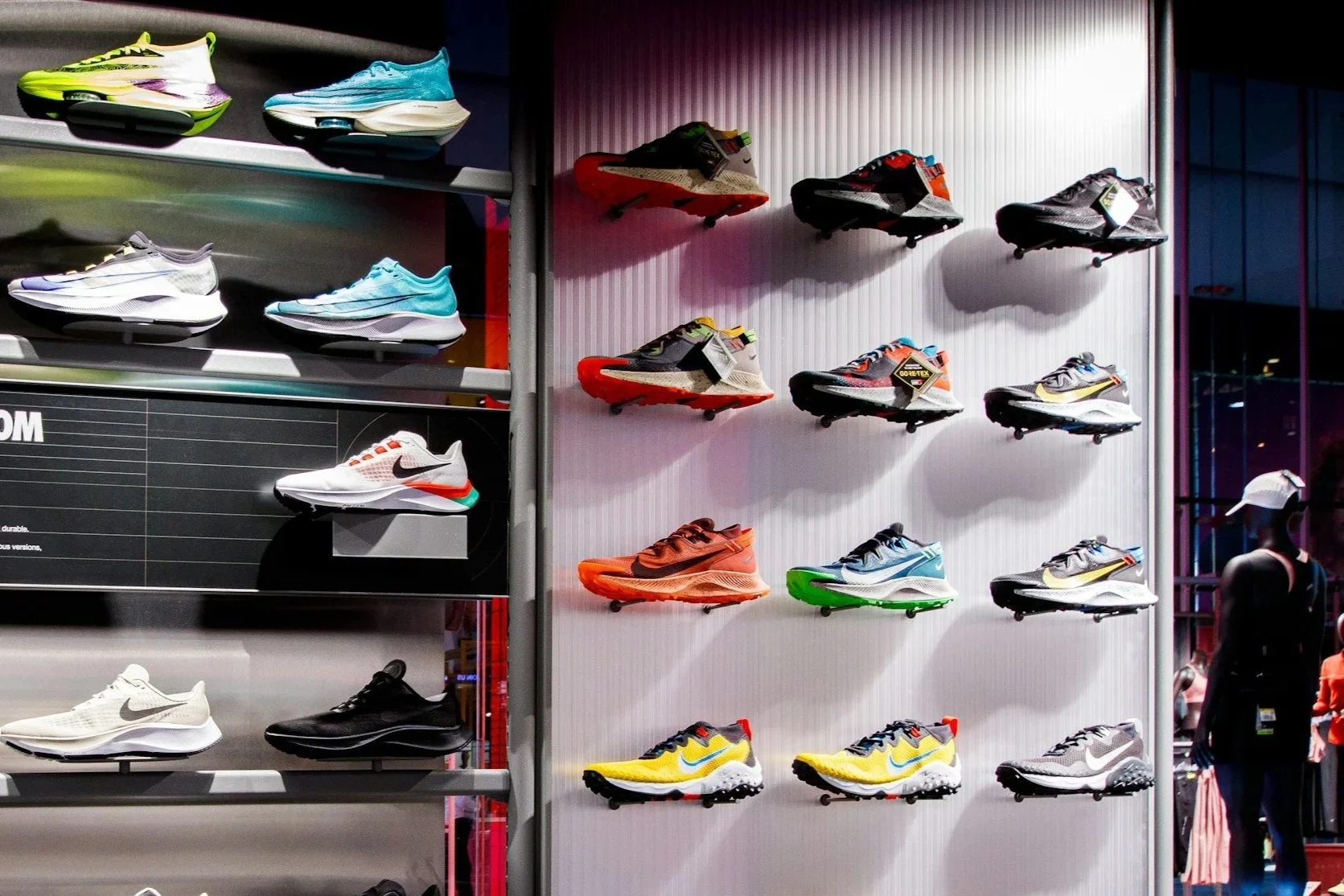
REAL LIFE IMPACTNike Store in the Philippines reported that 80% of consumers are buying additional items when they come to collect their order. This has drastically improved the stores overall conversion rate which before Ship To Store was 35%.Increased footfall in store
As customers come in to collect their orders, they may be enticed to make additional purchases.
Reducing carbon footprint
Packaging and transportation optimization as these orders are shipped directly to the stores.Cost effective
Retailers can save some cost through the consolidation of shipments to high volume stores. SCALINGAfter succesful results, the feature was subsequently offered to core retailers with more complex configuration requirements, a permissions-based approach was introduced. This enabled different views and access levels for Nike and core retailers, determined by the login domain while remaining within the same brand framework.Nike
Continue to support ship to store and return to store onlySupports two store types, partner store and value storeUsers with full access will be able to see all the hubs, countries and storesUsers with hub-level access will only see countries and stores in their respective hubUsers with country-level access will only see stores in their respective country
Core Retailers
Configure ship to store, return to store and ship from store associated to their brandConfigure whether the store has fulfillment centre capabilities when ship from store is enabledConfigure whether the store has dangerous goods capabilities when ship from store is enabledDoesn’t have store typesDoesn’t have hubs
HIGH LEVEL USER FLOW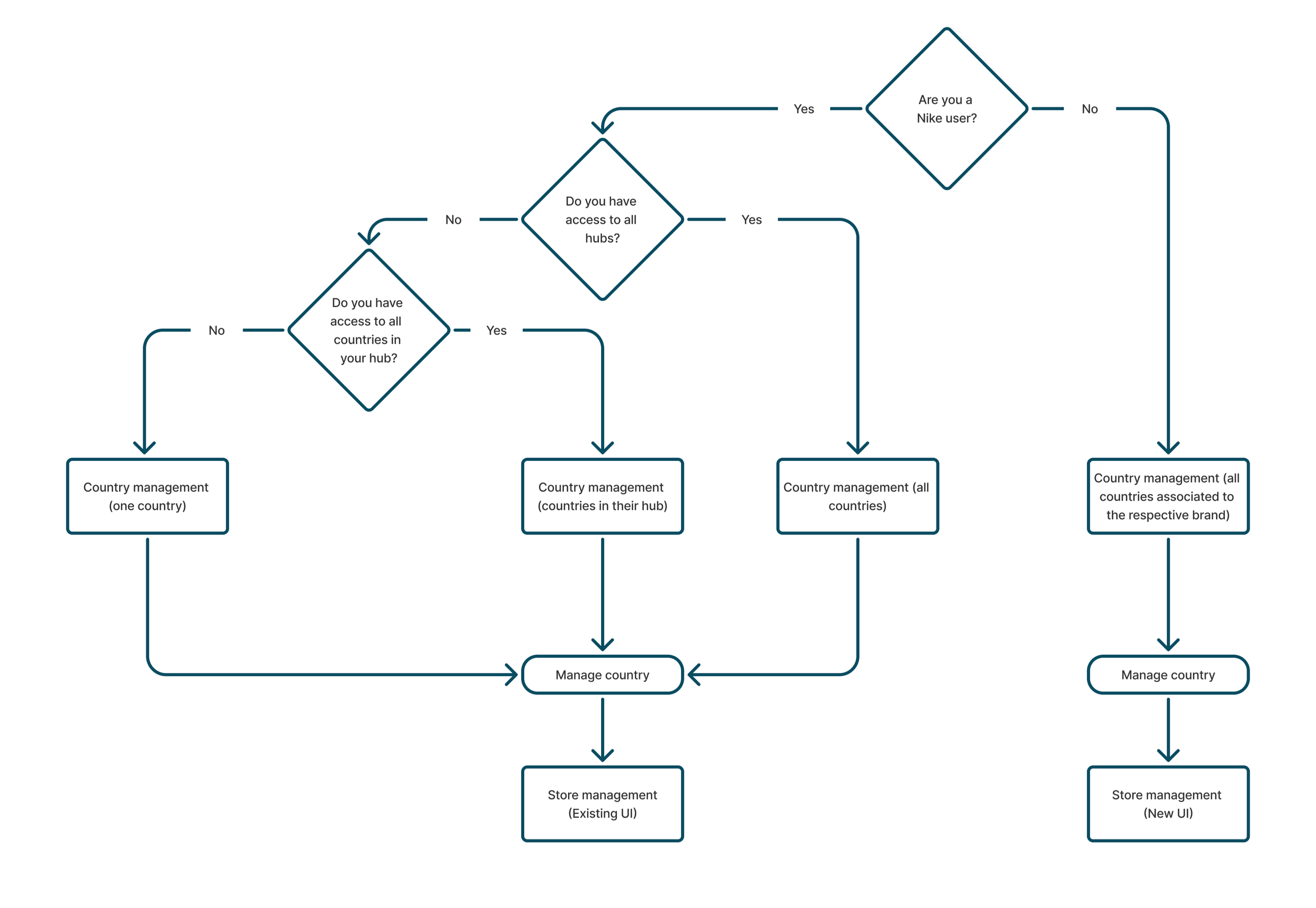
KEY TAKEAWAYSThe project reinforced that scalable UX is not about designing for the current requirement. It is about creating flexible systems that can adapt as business needs evolve. What began as a Ship to Store experience for a single retailer grew into a comprehensive omnichannel platform supporting RTS, STS, and SFS across multiple retailers. By focusing on reusable patterns, extensible workflows, and platform thinking rather than retailer-specific solutions, the design was able to scale from a single use case into a strategic capability that connected digital commerce with physical stores.HIGH FIDELITY WIREFRAMESNIKE UI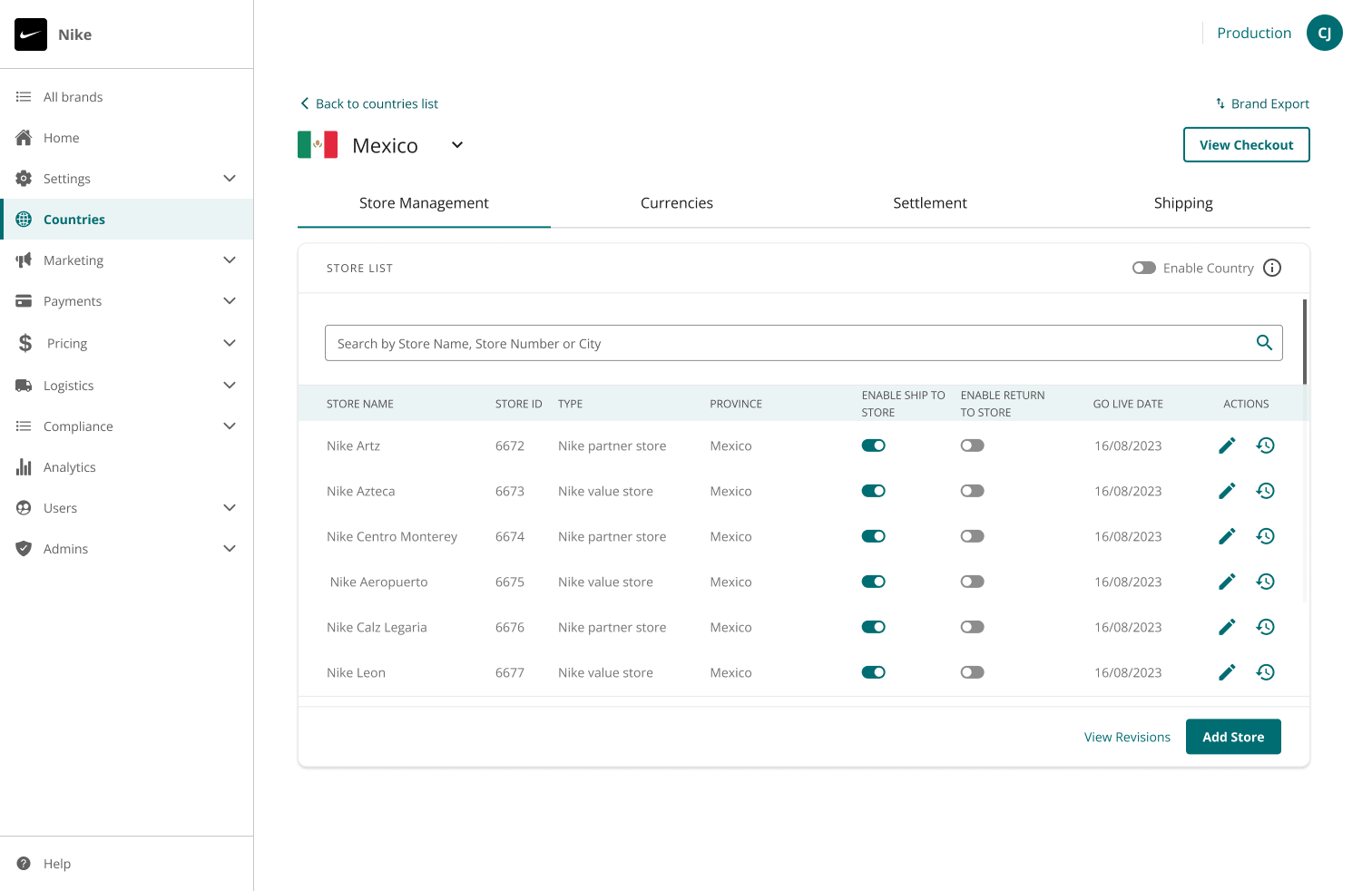
CORE RETAILER UI